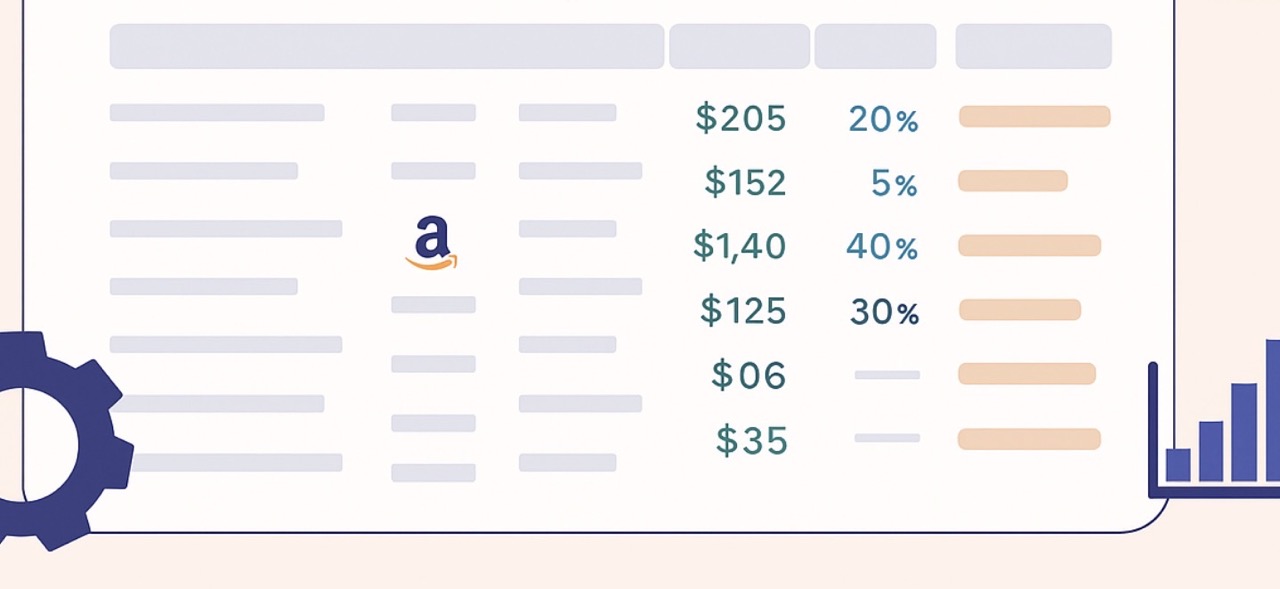
How to Maximize Amazon Profits with a Free FBA Calculator

For millions of Amazon sellers, the difference between success and stagnation often comes down to understanding the true cost and profit potential of every product. According to a 2024 survey, 89% of Amazon sellers are profitable, but rising fees and fierce competition mean that maximizing those profits is more complex than ever. That’s where the Amazon FBA Calculator comes in—a tool that empowers sellers to make smarter, faster, and more profitable decisions.

Resources like our stage.analyzer.tools’ free FBA calculator have become essential, giving sellers of all sizes instant clarity on fees, margins, and the best fulfillment strategy. Sellers leveraging tools have reported improved profit margins and more confident sourcing decisions.

  • Quickly assess the real profit of any Amazon product—including hidden fees and costs
  • Use data-driven tools to analyze bulk product lists for smart sourcing
  • Avoid common Amazon FBA pitfalls by accurately forecasting margins
  • Stay ahead with fresh, AI-powered features and updated policy guidance
  • Explore internal Amazon B2B opportunity recommendations and bulk analytics

What Is an Amazon FBA Calculator—And Why Does It Matter for Profit?

Think of an Amazon FBA Calculator as the financial dashboard for your Amazon business. It’s not just about tallying fees—it’s about revealing the true profitability of every product you consider.

As e-commerce strategist Carla Bauto Deña notes, “The FBA calculator is more than just a fee estimator; it’s a decision-making tool that can significantly influence your product and pricing strategies.” By entering product costs, dimensions, shipping, and anticipated sale price, sellers can instantly compare Fulfillment by Amazon (FBA) and Fulfillment by Merchant (FBM) options to determine which approach delivers the best margins.

This enables sellers to avoid costly missteps and prioritize products that truly move the profit needle. With tools like the stage.analyzer.tools FBA calculator, sellers can model best-case, worst-case, and seasonal scenarios—making it easier to scale up with confidence.

Top sellers also use these calculators to model the impact of fees, pricing strategies, and inventory turnover before making costly commitments.

The Anatomy of Amazon FBA Fees (What Every Seller Should Know)

Amazon’s FBA program is powerful, but understanding its fee structure is non-negotiable for profit-focused sellers.

Most Amazon sellers report net profit margins between 15% and 20%, so every fee counts.

The main fees to track are:

Other Fees: Long-term storage charges, removal/disposal fees, and refund administration costs.

Amazon’s refund administration fee is usually 20% of the refunded amount (capped at $5.00), and overlooking these charges can eat into your profits.

Overlooking any of these can quickly erode your Amazon Seller Profit Margin. For a deeper dive into current fee structures, see Amazon seller statistics and recent policy breakdowns.

Discover top alternatives to Scan Unlimited for more ways to analyze your bulk supplier price lists and streamline your product sourcing process.

Step-by-Step—How to Use a Free FBA Calculator to Maximize Your Profits

A free FBA calculator isn’t just for first-timers—it’s the go-to tool for every serious Amazon business. Here’s how to use one to maximize your profits:

  1. Gather Your Product Data: Have your product’s ASIN, dimensions, weight, purchase cost, and intended sale price ready.
  2. Enter Full Costs: Input all costs—product, shipping, prep, packaging, and any expected Amazon fees. Accurate data entry is crucial: “One of the most common mistakes sellers make is entering incorrect data,” warns Ad Badger.
  3. Compare FBA vs. FBM: Review both fulfillment options. See if FBM might be more profitable for certain items.
  4. Analyze the Fee Breakdown: The calculator will show referral, fulfillment, storage, and other fees. Use this to spot products with hidden costs that could eat into margins. Pro tip: Use the calculator to compare the same product listed in different categories to spot unexpected fee variations.
  5. Scenario Test: Adjust quantities, prices, or fulfillment choices to see how your profit margin changes.

Model best/worst-case inventory turnover to avoid long-term storage penalties.

For a real-world walkthrough using these steps, try the stage.analyzer.tools free calculator and explore their Amazon seller tools. Discover more free Amazon FBA software options to expand your toolkit.

Bulk Research: What to Look For in Advanced Amazon Seller Tools

When you’re managing multiple supplier catalogs or importing large lists of ASINs, using the right advanced Amazon seller tools is critical. Modern platforms like stage.analyzer.tools allow you to scan thousands of SKUs at once and extract actionable data—going far beyond just profit and fees. Look for features such as brand restriction alerts, historical sales charts, and deep reverse sourcing options to help you outpace competitors and make smarter, data-backed decisions. Whether you’re a bulk seller or evaluating a supplier’s full catalog, leveraging robust wholesale product research functionality and bulk analytics will save vast amounts of time and boost your ROI.

How Top Sellers Boost Profits with Data-Driven Tools

When it comes to Amazon, the most successful sellers know that guesswork doesn’t cut it. Instead of relying on gut feelings, they turn to data-driven tools and proven systems to sharpen every decision.

Here’s how top Amazon sellers put data to work:

  • Spotting True Opportunities: By using profit calculators and bulk analysis tools, sellers can instantly compare dozens (or even thousands) of products at once. This helps them quickly weed out low-margin items and zero in on those with the strongest profit potential.
  • Avoiding Hidden Costs: Modern calculators break down every fee—referral, fulfillment, storage, and more—so sellers know the real numbers before they ever place an order. This transparency helps avoid surprises that can eat into profits.
  • Adapting to Trends: Bulk product scanning and analytics allow sellers to keep pace with changing demand, pricing shifts, and new competition. Instead of getting stuck with slow-moving inventory, they can react fast and pivot to what’s working right now.
  • Scaling Smart: Automation makes it possible to evaluate more products, manage inventory efficiently, and launch new offers faster—all without burning out or getting bogged down in spreadsheets.

It’s not just about maximizing every dollar, it’s about building a business that can thrive and grow. For more insights on profit analysis and bulk product scanning, see stage.analyzer.tools’ homepage and their roundup of Amazon product research tools. You can also review how Amazon restricted brands impact selling decisions and strategy.

Avoiding Common Pitfalls—Hidden Costs, Policy Updates, and Best Practices

Too many sellers fixate on top-line revenue, only to be blindsided by fees and policy shifts that decimate profits.

Key takeaway: Stay vigilant about Amazon’s fee schedule and always input the most up-to-date costs into your calculator.

Amazon’s 2024 policy update changed how FBA inventory reimbursements are calculated—now based on manufacturing cost, not retail value. Missing these changes can mean leaving money on the table or misjudging your profit margins (Amazon Sellers Attorney, 2024).

Always review seasonal storage fees, monitor for long-term inventory charges, and use your calculator to model how new policies affect bottom-line results. Modern calculators increasingly use AI to flag hidden trends or sudden fee changes, giving sellers early-warning advantages.

For the latest on fee trends and best practices, see stage.analyzer.tools’ guide on FBA fee changes or explore our Knowledge Base for bulk ASIN/UPC/EAN conversion for even greater workflow efficiency.

AI Tools, Sustainability, and Smarter Selling

The next wave of Amazon selling is already taking shape. Artificial intelligence and automation are transforming how sellers analyze data, manage inventory, and optimize pricing.

It’s no surprise that top Amazon sellers are leveraging AI-powered tools for sales forecasting and product research, a trend expected to only increase. Advanced sellers are also turning to B2B opportunity searches, leveraging Amazon’s own Business Product Opportunity recommendations and bulk analytics to diversify and future-proof their income streams.

Sustainability is also rising in importance: Amazon’s “Climate Pledge Friendly” program is giving a leg up to eco-conscious brands, while new social shopping features are opening up fresh revenue streams.

For sellers ready to adapt, tools like the stage.analyzer.tools free FBA calculator and their expanding suite of Amazon seller tools offer the insight and flexibility needed to thrive.

Ready to take your Amazon wholesale business to the next level? If you want a platform that helps you rapidly process bulk supplier lists, uncover hidden profit opportunities, and make smarter, faster data-driven decisions, explore stage.analyzer.tools. Whether you’re a high-volume seller or want to scale up with confidence, stage.analyzer.tools helps you move faster and smarter with your Amazon product research.

FAQ

  • What is the Amazon FBA Calculator’s main benefit for wholesale sellers?
    The Amazon FBA Calculator helps wholesale sellers get a clear breakdown of all costs—including fees, storage, and shipping—for any product. This helps you evaluate true profit potential quickly, especially when analyzing bulk product lists.
  • How does an FBA calculator compare with bulk research tools?
    While the FBA calculator is ideal for detailed profit and fee predictions on specific items, advanced Amazon product research tools like stage.analyzer.tools allow for fast analysis of thousands of products at once, adding features such as sales history tracking and brand restriction alerts.
  • Can these tools help me avoid listing Amazon-restricted brands?
    Yes, solutions like stage.analyzer.tools offer brand IP alerts and will flag products on your bulk lists that are known to be restricted or could cause listing issues, protecting your seller account as you scale.
  • How often should I check for Amazon fee and policy changes?
    It’s wise to review Amazon policy updates and refresh your calculator inputs at least quarterly, or any time you see announcements of FBA fee or reimbursement updates.
  • Are these tools only useful for large sellers?
    No, both new and high-volume Amazon sellers benefit from profit calculators and product scanning tools. Even small sellers can use these resources to boost profit margins and avoid the most common pitfalls.

References

  • AdBadger. (2023). How to Use the Amazon FBA Calculator. https://www.adbadger.com/blog/how-to-use-the-amazon-fba-calculator/
  • AdNabu. (2024). 65 Amazon Seller Statistics You Must Know for 2025. https://blog.adnabu.com/amazon/amazon-seller-statistics/
  • Amazon Sellers Attorney. (2024). Amazon Policy Updates 2025: Key Changes for FBA Sellers. https://www.amazonsellers.attorney/blog/amazon-policy-updates-2025-key-changes-for-fba-sellers
  • Jungle Scout. (2024). The State of the Amazon Seller 2024. https://www.junglescout.com/
  • We Are Here X. (2024). Amazon Seller Statistics 2024: Trends, Revenue & More. https://www.weareherex.com/amazon-seller-statistics/

Bulk FBA Analysis on a Budget: Strategies for Finding Winners Fast

Did you know? Over 89% of third-party sellers now use Fulfillment by Amazon (FBA), and the number is growing rapidly as more entrepreneurs seek scalable, hands-off logistics (Jungle Scout, 2024).

In today’s Amazon marketplace, sellers are searching for every possible edge. For sellers aiming to scale up while keeping costs down, mastering bulk FBA analysis isn’t just a nice-to-have—it’s essential.

With thousands of new products launched daily and margins increasingly tight, leveraging tools and strategies designed for budget Amazon product research is what separates the sellers who struggle from those who find profitable FBA products fast.

That’s why more sellers are turning to solutions like stage.analyzer.tools for rapid, data-driven decision-making. By harnessing the right approach, even small operations can compete with the big players—without burning through their budgets.

What Is Bulk FBA Analysis—and Why Does It Matter for Sellers on a Budget?

Think of bulk FBA analysis as the difference between mining for gold with a sieve versus a teaspoon. Instead of manually checking each product, you upload a list—sometimes thousands long—and let specialized software scan for winners. Recent industry surveys show that a large amount of high-volume Amazon sellers now use automation or bulk research tools in some form, reflecting a significant trend toward efficiency (EcomCrew, 2024).

Wholesale & Arbitrage Sellers: Bulk analysis is especially crucial for those handling supplier lists with thousands of SKUs at a time.

This approach isn’t just about speed. For budget Amazon product research, bulk analysis means you can evaluate more opportunities, avoid costly mistakes, and shift resources from grunt work to strategic growth. Sellers who adopt bulk methods are able to spot market trends, compare fees, and sidestep unprofitable or restricted products using built-in IP alert features—all while saving both time and money.

The Core Metrics That Make or Break Your Bulk FBA Decisions

When scanning thousands of SKUs, knowing which numbers actually matter is the key to success. The most effective sellers focus on a handful of Amazon FBA metrics that directly impact their bottom line.

For most FBA sellers, a good ROI is typically 50% or higher, making this a critical benchmark to prioritize (Ecomcy, 2023).

Here are the metrics that count:

  • ? Sales Rank: Indicates demand—lower is better. Consistent high sales rank over 90-day periods is a strong indicator of repeat demand.
  • ? ROI (Return on Investment): Should generally exceed 50% for strong profitability (Ecomcy, 2023).
  • ? Buy Box Ownership: Winning the Buy Box means more sales.
  • ? Number of Sellers: Tells you how tough the competition is.
  • ? Historical Pricing Data: Protects you from sudden margin drops.

For a deeper dive into analyzing up to 75+ data points per product, explore stage.analyzer.tools’ available data and see how granular your research can get.

How to Perform Bulk FBA Analysis Without Breaking the Bank

Smart sellers know: You don’t need to spend a fortune to analyze products at scale. Here’s how to get the most from your budget Amazon product research efforts:

  1. Leverage affordable tools: Start with stage.analyzer.tools—it’s designed for rapid, bulk spreadsheet scanning and offers day-pass pricing for flexibility. Alternatives like Seller Assistant’s Price List Analyzer and Keepa also provide cost-effective features for price tracking and restrictions.
  2. Organize supplier lists: Use spreadsheets to batch your ASINs, UPCs, or EANs. Proper formatting ensures clean uploads and accurate analysis, and can also allow integration with free FBA calculators or analytics tools for even deeper insights.
  3. Prioritize key metrics: Focus on ROI, sales rank, and Buy Box eligibility. Filter out products with low ROI or high competition early.
  4. Cross-reference restriction data: Use tools with built-in IP alerts to avoid restricted brands and prevent headaches down the line.
  5. Review historical trends: Analyze past price and sales rank data to predict future performance. Avoid review manipulation and over-reliance on a single product to protect your account and business stability.

“By leveraging advanced scanning tools, sellers can significantly reduce the time and effort spent on sourcing, while simultaneously increasing the accuracy and potential profitability of their inventory” (PushLap Wholesale, 2024).

For sellers interested in exploring more options, check out this rundown of Scan Unlimited alternatives and feature-rich tools for bulk analysis.

Budget Tool Showdown—Which Bulk FBA Analysis Software Delivers the Most Value?

Choosing the right tool can make or break your workflow. Here’s how the top Amazon product research software options stack up for sellers focused on value:

ToolPrice RangeProcessing SpeedData Points AnalyzedUnique Features
stage.analyzer.tools$10–$69 (flexible)Up to 1,000,000 SKUs/hr75+IP alerts, reverse sourcing, day pass
Seller Assistant’s Price List Analyzer$15–$49/mo50,000+ SKUs/hr (est.)30+Restriction flags, profit calc
Scan Unlimited$20–$60/mo100,000+ SKUs/hr (est.)20+Cloud-based, historical data
KeepaFree–€19/moManual (browser-based)10+Price/sales charts, browser plugin

Some tools process up to 1,000,000 products per hour, dramatically outpacing manual analysis (PushLap Wholesale, 2024).

Additionally, tools offering IP alerts help sellers avoid costly mistakes with restricted brands and intellectual property claims. Real-time data updates can also reduce errors and margin loss from outdated product information.

Real-World Results—Proof That Budget Bulk Analysis Works

Industry examples show the real power of smart, budget-friendly bulk analysis:

  • ⏱️ One seller reported cutting sourcing time by 80% after switching to an affordable bulk list analyzer, freeing up hours for negotiation and research (EcomCrew, 2024).
  • ? Case studies reveal that FBA sellers using automation tools consistently achieve higher inventory turnover and profitability versus those who rely on manual methods (Online Selling Experiment, 2024).
  • ? Transitioning the majority of your FBA inventory to wholesale sourcing can result in a more stable inventory flow and lower long-term storage fees.

“By effectively managing and customizing data views, sellers can quickly identify the products that are most likely to succeed in the marketplace,” notes a recent report from PushLap Wholesale (2024).

Routine monitoring of your KPIs and financial analytics is essential for maintaining long-term FBA profitability.

For more big-picture context on the Amazon marketplace’s rapid evolution, see the latest Amazon seller statistics.

Key Takeaways—Winning at Bulk FBA Analysis (No Big Budget Needed)

You don’t need a huge team or deep pockets to make bulk FBA analysis work for you. As long as you’re willing to use data and automation, any seller can get smarter about product selection and inventory management.

  • Stick to the numbers that actually move the needle.
  • Choose tools that fit your budget.
  • Keep tweaking your approach as the Amazon landscape evolves.
  • Diversify your product mix and stay flexible to protect your business when the market shifts.

Remember: The most optimized FBA listings often see stronger conversion rates, but your results will depend on your niche, competition, and how well you manage your supply chain.

References

  • Ecomcy. (2023). The Most Important Amazon Seller Metrics for FBA Businesses. https://www.ecomcy.com/blogs/the-ecomcy-blog/the-most-important-amazon-seller-metrics-for-fba-businesses
  • Jungle Scout. (2024). The State of the Amazon Seller Report.
  • PushLap Wholesale. (2024). Amazon FBA Success Stories: Lessons from Top Sellers. https://www.pushlapwholesale.com/blog/amazon-fba-success-stories-lessons-from-top-sellers
  • EcomCrew. (2024). Amazon Seller Automation and Bulk Analysis Trends Report.
  • Online Selling Experiment. (2024). Wholesale Case Study: Why 65% of My FBA Business is Now Wholesale. https://onlinesellingexperiment.com/wholesale-case-study/

Is It Time to Upgrade? The Amazon Seller’s Guide to Free vs Paid Tools (2025)

Did you know? Sellers who invest in paid tools report higher monthly profit margins compared to those who stick with free options.

Amazon sellers have more software choices than ever, and the tools they use can directly affect both their profitability and their ability to adapt to new Amazon requirements. Recent studies show that sellers who invest in paid tools report higher monthly profit margin compared to those who stick with free options.

In this guide, you’ll discover the real differences between free Amazon seller tools and paid solutions, how to know when you’ve outgrown basic software, and what risks you may be taking by relying on free options alone. You’ll also see why platforms like stage.analyzer.tools bulk are credited with helping sellers achieve better efficiency and results.

Free vs Paid Amazon Seller Tools: What Really Sets Them Apart

71% of Amazon sellers use product research tools, 63% employ keyword research, and 57% depend on inventory management solutions to stay ahead.

Today, Amazon sellers widely use technology: 71% use product research tools, 63% employ keyword research, and 57% depend on inventory management solutions to stay ahead. When evaluating free Amazon seller tools versus paid Amazon seller tools, the differences go far beyond price.

“Free tools can be a great starting point, but paid solutions typically deliver superior accuracy, advanced analytics, and support that lets your business scale with confidence.”

Adam Wood, Amazon SaaS expert (RevenueGeeks, 2024)
Feature/FactorFree Amazon Seller ToolsPaid Amazon Seller Tools
FeaturesBasic product/keyword research, limited bulk analysis, basic alertsAdvanced analytics, automation, historical data, bulk processing, IP alerts, multi-marketplace support, integration
SupportMinimal or community-basedDedicated customer service, onboarding, live training
IntegrationOften limited or manualIntegrates with other business tools/platforms
Usage LimitsDaily/weekly caps, limited exportsNo meaningful caps, scalable for large catalogs
  • Free tools: Basic research, limited analysis, usage caps
  • Paid tools: Advanced analytics, automation, integration, dedicated support

As highlighted in the data accuracy and feature limitations, sellers relying on free tools often find themselves restricted by daily usage caps and missing out on insights that paid solutions provide.

Signs You’ve Outgrown Free Tools (and What to Do Next)

Key sign: If daily usage caps force you to skip analysis on important products, it’s probably time for a paid upgrade.

It’s a question nearly every Amazon seller faces: When do free tools stop being enough?

The answer often comes down to business growth and operational efficiency. As your sales volume increases, you’ll likely hit usage caps, outgrow basic features, or spend too much time piecing together data from different sources. Adam Wood cautions, “If you find daily usage caps forcing you to skip analysis on important products, it’s probably time for a paid upgrade” (RevenueGeeks, 2024).

  • Faster product-selection workflows with paid tools
  • Smoother scaling as inventory grows
  • Less time spent piecing together data from multiple free tools

A recent case study found that a seller switching from free to paid tools saw monthly sales jump from $20–$40 to over $250, thanks to better access to promotions and automated pricing (Medium, 2024).

For those managing bulk lists, bulk analysis strategies become essential, making basic tools a limiting factor rather than a launchpad.

The Real Price of “Free”: Risks, Limitations, and Missed Opportunities

Hidden risk: Inaccuracy—such as a 15–20% error rate in sales estimates—can lead to poor buying decisions and lost revenue (stage.analyzer.tools, 2024).

The convenience of “free” can cost more than you realize.

  • Manual workarounds and fragmented insights
  • Greater time investment
  • Increased risk of account suspension with non-compliant tools

Beyond data issues, sellers relying on multiple free tools face manual workarounds, fragmented insights, and greater time investment. Amazon’s enforcement around listing quality and IP violations has grown stricter, increasing the penalties for non-compliant tool use. According to legal experts, using non-compliant or unapproved tools can even risk account suspension or other serious consequences (AmazonSellers.Attorney, 2024).

For new sellers, our free toolkit for new sellers can help you get started, but know when to move beyond the basics.

stage.analyzer.tools: Bulk Analysis Power, Advanced Metrics, and Real Seller Results

stage.analyzer.tools processes up to 1,000,000 SKUs per hour and analyzes 75+ business metrics.

Unlike basic software, stage.analyzer.tools enables sellers to process up to 1,000,000 SKUs per hour, analyze 75+ business metrics, and screen for IP risks at scale. Its processing rate is unmatched among peer tools, and the development team frequently implements user-requested enhancements.

“Having access to responsive customer support and truly scalable bulk analysis saved me hours each week and let me catch profitable opportunities competitors missed.”

Seller Forums Review (Reddit, r/FulfillmentByAmazon, 2024)

Built and supported by actual Amazon sellers, stage.analyzer.tools provides advanced automation, integration, and direct support—features praised in user reviews on SaaS platforms and public seller forums.

Choosing Wisely: Best Practices and Red Flags for Amazon Seller Tools

Key takeaway: Choose tools that offer comprehensive features, reliable support, and regular updates—and always verify compliance with Amazon policies.

  • Review a tool’s reputation and transparency regarding data sources
  • Check for regular updates and responsive support
  • Verify compliance with Amazon policies

“Amazon does not hesitate to suspend accounts found using unapproved automation or scraping tools.”

CJ Rosenbaum, E-commerce lawyer (AmazonSellers.Attorney, 2024)

For those still weighing options, see our top free product research tools to compare before making your next investment.

References

  • stage.analyzer.tools. (2024). https://www.stage.analyzer.tools/is-free-amazon-software-enough-to-beat-the-competition/
  • RevenueGeeks. (2024). https://revenuegeeks.com/sellertools-pricing/
  • Medium. (2024). https://medium.com/@gritwriter247/how-to-choose-between-amazons-free-and-paid-seller-plans-my-shocking-one-month-experience-e84643522d86
  • AmazonSellers.Attorney. (2024). https://www.amazonsellers.attorney/blog/archives/09-2024/2
  • Reddit, r/FulfillmentByAmazon. (2024). https://www.reddit.com/r/FulfillmentByAmazon/
  • Gitnux.org. (2024). https://gitnux.org/amazon-seller-statistics/

Making the Most of Amazon’s Own Free Resources for FBA Sellers

Free Amazon FBA tools have become critical for serious Amazon sellers looking to save costs and maximize profit. Business owners, side hustlers, and full-scale eCommerce brands alike depend on free solutions to manage aspects such as product research, pricing, and keyword insights. According to a study by SellerApp, over 70% of new sellers try at least three free tools to jump-start their operations in their first six months.

For those aiming to get more out of no-cost offerings, exploring how free alternatives can cover most essential functions can be a game-changer. Many also succeed by exploring free alternatives that deliver similar benefits, so even first-time sellers can handle tasks without paying for high-priced subscriptions.

Why These Resources Matter for 2024

Amazon sellers face an environment where listing optimization, stock management, and pricing adjustments happen nonstop. Free tools help give a competitive edge without straining your budget. A recent survey by Jungle Scout indicates that 62% of Amazon sellers use at least one no-cost tool for essential tasks such as profit estimation or keyword analysis.

While premium software may offer advanced features, many free platforms deliver strong fundamentals. They can be pivotal in discovering high-demand niches, preventing stockouts, and connecting sellers to data that used to be expensive to access. They also work well in combination with each other—allowing you to gather insights from multiple angles.

Key Factors to Look for in Free FBA Solutions

Trustworthiness, ease of use, and relevance to your goals stand out as top considerations. Tools that pull data from Amazon in real time tend to be the most dependable. Free versions often limit the breadth of data, but if you combine them creatively, you can come close to premium-level insights.

Frequent updates are another major factor. Some free solutions fall behind when Amazon changes its algorithm, so pick tools that demonstrate ongoing improvements. User reviews, active forums, and direct mention on reputable sites usually signal reliability.

Quick Tip: Converting ASINs to UPC/EAN for Amazon Research

Streamlining your research workflow is crucial when working with Amazon supplier lists or bulk product data. If you often need to convert ASINs to UPCs, EANs, or other identifiers, consider using specialized tools to save time and reduce manual errors. stage.analyzer.tools offers a free ASIN to UPC/EAN converter that’s ideal for anyone processing large catalog files or verifying cross-platform compatibility during product research. Leveraging conversion tools can make bulk analysis, inventory uploads, and compliance checks much faster for professional sellers.

1) stage.analyzer.tools

stage.analyzer.tools is a no-cost option for bulk product analysis when you take advantage of free trials or short-term passes. It calculates fees, tracks potential profits, and processes large product lists. Many advanced solutions overlook new sellers with tight budgets, but this platform accommodates different business sizes. Compare it to other solutions, and you’ll see major time savings in product selection and pricing estimates.

One benefit is how it addresses hidden costs such as inbound shipping or multi-pack arrangements—features that sometimes require paid add-ons elsewhere. It also helps with FBA versus Merchant Fulfilled Network calculations. While the Windows and web-based versions often have paid tiers, sellers can leverage free trials to gain access to advanced analytics on a short-term basis. That approach is ideal for quickly evaluating potential winners or cutting losses on underperformers.

2) Amazon Seller App

The official Amazon Seller App often goes unnoticed yet has powerful functions at no extra cost. You can list items, track sales, and quickly respond to customer messages. The real-time advantage is huge if you need to check inventory and account health away from your desktop.

Although the app lacks in-depth metrics like automated repricing, it excels at basics: scanning barcodes for quick listing and updating product info anytime. This is especially valuable if you juggle daily tasks or rely on retail arbitrage strategies. Compared with third-party mobile versions, having Amazon’s official support ensures that feature updates roll out consistently.

3) Amazon FBA Revenue Calculator

This no-frills resource estimates total fees and potential profits per item. It shows the cost difference between FBA and self-fulfillment. If you want to see how shipping impacts final margins, the tool makes that simple.

Many sellers compare results from the FBA Revenue Calculator to those from more advanced fee analyzers. While the calculator only covers direct costs (like FBA fees and referral charges), it offers reliable baseline figures. For new sellers who lack the capital for multiple subscriptions, these numbers supply a quick sanity check before investing in stock.

4) Keepa

Keepa provides a free Chrome extension with price-tracking features useful for spotting market dips or spikes in real time. It displays price-history graphs and notifies you when a product’s cost hits your target range. Sellers looking to optimize profitability frequently rely on Keepa to decide when to reorder inventory or adjust listing prices.

In comparison to other price-trackers, Keepa’s free plan offers a robust visual interface, showing how pricing and Best Sellers Rank shift over weeks or months. More advanced features—like advanced data exports—sit behind a paid tier, but many find the free version sufficient for day-to-day tracking. The extension also works seamlessly with Amazon’s product pages, so sellers can observe patterns with just a glance. For power users, you may also want to explore little-known free Chrome extensions for Amazon sellers to add further capabilities and streamline your research process.

5) Sonar by Sellics

Sonar is a free keyword research system that taps into data from Amazon searches. It reveals popular search queries, related terms, and approximate keyword traffic. Having a constant feed of relevant keywords helps you strengthen listing titles and bullet points, particularly in competitive niches.

Most free keyword tools limit how many queries you can run daily. Sonar is fairly generous with this quota. Pairing Sonar data with your existing product ideas can speed up listing optimization. For those missing advanced tracking of rank positions or real-time competitor insights, paid plans might be tempting, but Sonar’s no-cost foundation is enough to test core keyword strategies.

6) Amazon Brand Analytics (for Brand-Registered Sellers)

Brand Analytics is free, but only brand-registered sellers can unlock it. Once inside, you’ll discover data on customer search terms, top clicked products for each query, and market basket insights. This is extremely useful if you want to gauge brand loyalty or find cross-selling ideas.

Too often, people stick to general research tools and skip this Amazon-provided feature. The clarity it offers on actual customer behavior is unmatched—especially if you care about which competing listings snag the most clicks. Brand Analytics stands head-to-head with external paid solutions in revealing common search patterns. If your brand is registered, ignoring this resource could cost you an edge. For more on how using data like this shapes larger trends, see the latest Amazon statistics and seller benchmarks.

7) Keepa-Like Alternatives (CamelCamelCamel)

CamelCamelCamel also delivers price-history tracking for free without any complicated sign-up. Like Keepa, it shows how a listing’s cost moves over time. You can add watch alerts straight to your email inbox for timely updates.

While CamelCamelCamel lacks certain advanced chart overlays that Keepa offers, some prefer its simpler data layout. For quick product checks, the website version suits those who want to see if a sale price is truly a bargain or just a brief dip. Comparing CamelCamelCamel to Keepa, both reflect the same type of historical data; the choice comes down to which user interface fits your style.

Comparisons Among These 7 Tools

All seven focus on boosting profits at zero cost. stage.analyzer.tools expands your ability to manage multiple items quickly, whereas the Amazon Seller App is more about real-time alerts and basic management. FBA Revenue Calculator drills into fees and margins, while Keepa keeps track of price fluctuations over time.

Sonar and Brand Analytics concentrate on SEO and search trends, though Brand Analytics offers more advanced click data—assuming you have brand registry. CamelCamelCamel parallels Keepa’s price tracking but distances itself with a streamlined interface. Combining two or three can produce a stronger toolset than relying on any single option.

When to Mix and Match Free Solutions

Some resources are best used together. For instance, you could run a product through the FBA Revenue Calculator while also checking Keepa for historical prices. Then consult Sonar to refine your listing’s keywords. This layered approach helps avoid hidden pitfalls, like choosing an item with decent margins but poor long-term demand.

Sellers who mix free solutions often see faster results than those who rely on one paid tool alone. To explore how multiple free apps can cover research gaps, consider reading about free tools that rival paid solutions and how they stack up against well-known platforms.

Practical Steps to Get Started

First, identify the areas where you need the most assistance—be it keyword research or profit calculations. Choose at least two tools that match your requirements, then do a short test run with real product ideas.

Next, keep an eye on your results over a week or two. For instance, if you spot a potential item and confirm its profit margins through the FBA Revenue Calculator, set a Keepa or CamelCamelCamel alert. If the alert notifies you of a price drop, that might be the moment to place a bulk order. Finally, track how your listing performs with the Seller App and refine keywords with Sonar or Brand Analytics.

Do They Really Beat Paid Options?

Free apps can bring significant value, especially in the early stages of selling. While paid suites bundle multiple features into one platform, not everyone needs that level of detail right away. If you’re on a tight budget, harnessing these no-cost solutions is your best move to collect data, test new product lines, or stabilize your Amazon metrics.

For sellers who want to keep overhead low, mixing free tools frequently outperforms expensive software if you only require limited analytics. As your volume scales, you may question whether to switch to a paid service. Yet seasoned power sellers often keep a combination of free and paid solutions to cover each base efficiently.

Key Takeaway for Ambitious Sellers

Relying solely on guesswork is risky in an eCommerce market that shifts every day. By applying free software like stage.analyzer.tools, Keepa, or Sonar, you can gather actionable information without overspending. Over 60% of new businesses on Amazon stay profitable in their first year when they adopt this type of strategic tool usage (Source: Helium 10 research).

For more insights on spotting profitable opportunities, check out discovering profitable Amazon FBA niche ideas so that your next product launch hits home with your audience. Cultivate solid data habits early on, and you’ll see tangible improvements in margins and sales velocity.

If you’re interested in further expanding your toolkit or upgrading to more in-depth solutions once you see positive results, be sure to explore how each free resource can transition into a comprehensive strategy. This gradual approach keeps your risk low while you build up capital.

Ready for the next step? Dive into advanced strategies with Amazon sourcing research tools to refine your supplier selection. Free options form a solid foundation, but exploring deeper ways to source items that match your market can multiply your return on investment.

Looking to streamline your wholesale sourcing workflow and spot profitable products fast? stage.analyzer.tools is purpose-built for professional Amazon sellers who need speed, accuracy, and reliable bulk analysis. Scan entire supplier spreadsheets, uncover real sales data, and take your sourcing strategy to the next level—whether you’re an established power seller or just beginning to scale. Try it to see how much time and effort you can save identifying your next winning product.

FAQ

Can I use free Amazon FBA tools alongside paid software?
Absolutely. Many experienced sellers combine free tools with paid solutions to cover various workflow needs. Free apps are perfect for basic research, quick checks, or spot verifications, while paid platforms often provide deeper analytics or automation. This blended approach can be cost-efficient without sacrificing important data points.

Do free Chrome extensions for Amazon really add value?
Yes, many free Chrome extensions for Amazon sellers help speed up research tasks or provide at-a-glance data, such as historical price charts, review ratings, or sales rank. These add-ons are handy for on-the-fly analysis and don’t require a big learning curve. For unique functionalities, explore lesser-known options that extend beyond the standard features.

What secondary features should I look for in bulk research tools?
Beyond profit estimates and sales data, secondary functions like converting ASINs to UPC/EANs, filtering restricted brands, and flagging IP risks are valuable for keeping your Amazon business safe and efficient. These advanced filters can limit costly sourcing mistakes and streamline your catalog management.

Are Amazon FBA revenue calculators accurate for making purchase decisions?
A free Amazon FBA calculator delivers a good baseline for cost and margin estimates. Use it for quick initial screening, but remember that it may not capture all your unique business expenses (like inbound shipping or prep fees). Combine calculator results with other research tools to confirm a product’s full profit potential before buying inventory.

Where can I find more data and trend insights for 2024?
For broader seller trends, market benchmarks, and marketplace shifts, visit the stage.analyzer.tools Amazon statistics page for regularly updated insights tailored to professionals.

References

SellerApp. (2023). Free Amazon FBA tools usage survey. Retrieved from https://www.sellerapp.com/blog

Helium 10. (2023). State of the Amazon seller report. Retrieved from https://www.helium10.com/tools/free/

Little-Known Free Chrome Extensions for Amazon Sellers

Free Chrome extensions for Amazon sellers have become vital tools that help business owners make smarter decisions, uncover profitable products, and maximize market presence. Whether you’re just starting or already operating as a high-volume seller, these browser-based add-ons can offer insights into price trends, reviews, and much more at no extra cost.

According to a 2024 study by Jungle Scout, 92% of high-performing Amazon sellers incorporate at least one of these extensions in their workflow.

If you’re eager to discover fresh ways to boost productivity, check out our top free Amazon product research tools that many overlook.

What Makes a Chrome Extension “Hidden”?

A “hidden” Chrome extension typically has lower user adoption despite delivering solid value. Many of these tools focus on niche features like advanced keyword suggestions or granular competitor data. Because they might lack large-scale advertising, they remain overshadowed by more mainstream names.

For established sellers, these undiscovered gems complement popular extensions by filling feature gaps. For new sellers, they can jumpstart progress without the costs sometimes tied to high-profile tools. In 2024, usage of hidden Chrome extensions jumped by an estimated 25% for cross-marketplace expansions, based on reports from SellerApp.

If you want an overview of additional zero-cost software beyond browser add-ons, our top free Amazon product research tools article offers more options you can integrate into your selling journey.

Side note: Improve Your Workflow with Bulk Conversion Tools

Efficient Amazon sellers often deal with various product identifiers, such as ASINs, UPCs, EANs, or ISBNs. Handling bulk data conversion between these formats can greatly enhance product research and inventory management.

Platforms like stage.analyzer.tools not only scan large lists but can also be paired with solutions for converting identifiers in bulk. For example, you can streamline catalog matching and sourcing with resources like the Bulk Convert ASIN, UPC, EAN, ISBN guide, which saves time during the wholesale analysis process.

10 Hidden Free Chrome Extensions Every Amazon Seller Needs

Below are ten lesser-known extensions that can be extremely valuable. Each stands out for unique features, such as bulk product reviews or specialized data charts. Feel free to test several to see which align with your workflow.

  • ? DS Amazon Quick View: Shows product rank, category, and variations directly on the search page for faster research.
  • ? AMZScout FBA Calculator: Instantly estimates profit by combining sales price, Amazon fees, and shipping costs.
  • ? Camelizer (CamelCamelCamel): Brings price-tracking history into your browser for quick market timing.
  • ?️ AMZ Seller Browser: Displays seller-specific data like FBA/MFN status and listing longevity.
  • ? Amazon Keyword Tool by SellerApp: Highlights trending and long-tail keywords for listing optimization.
  • ? AMZ Base: Enables quick Google searches of any ASIN and displays basic product info.
  • ? AMAzeOwl: Provides continuous product tracking and color-coded alerts for major changes.
  • ? AMZScout Stock Stats: Reveals competitor stock levels for smarter inventory planning.
  • ⭐ Amazon Review Insight by SellerApp: Extracts and summarizes customer sentiment and pain points.
  • ⏱️ FBA Shipping Time Estimator: Calculates how long it might take for products to become active in fulfillment centers.

“In 2024 alone, tools that provide real-time keyword data have risen in popularity by 62%.”

Unlocking More Potential with Extension Stacks

Pairing multiple free extensions can produce data that is more complete than what you’d see from using a single resource. A stack might include price tracking, review monitoring, keyword analysis, and FBA profit calculations all at once.

This layered approach closely resembles premium suite solutions without the fees. For a deeper look at combining various no-cost apps, see our guide on how to combine multiple free tools for complete Amazon market research. By using different extensions each covering a distinct angle, you’ll broaden your strategic view.

Extension Stack For Amazon Research

Aligning Free Tools with Long-Term Growth

While these extensions are terrific starters, scaling up might require broader capabilities. As you manage bigger product lines or multiple marketplaces, you could seek advanced analytics and bulk data processing that surpass quick calculations.

StageTool TypeKey Benefit
Getting StartedFree Chrome ExtensionsQuick insights, no cost, easy install
Scaling UpAll-in-One SoftwareBulk data processing, advanced analytics, handles millions of entries

Explore options like powerful free Amazon FBA software if you’re searching for entire platforms that can manage more complexities than single-purpose browser tools.

Curious how market averages stack up? Review up-to-date Amazon statistics to benchmark your performance and inform your next steps.

Final Insights

Hidden extensions open the door to new ways of elevating product sourcing, keyword selection, and inventory timing—all without added expenses. For any seller wanting to refine their approach, these tools offer a strong boost toward better profits.

If you’re curious about building on these free resources, our best free tools for new Amazon sellers overview covers additional strategies to help you keep growing, one extension at a time.

FAQ

  • How can Amazon sellers benefit from using multiple Chrome extensions?
    Layering several hidden Chrome extensions can help fill gaps left by mainstream tools, offering more granular data on keywords, reviews, and competitor activity. It increases the breadth of actionable insights and helps streamline your daily product research workflow.
  • Are these free Chrome extensions enough for scaling an Amazon FBA business?
    Free extensions are excellent for getting started and improving efficiency, but as your business grows and you manage more SKUs, you’ll likely require a platform that can handle bulk product scans and advanced analytics. Wholesale product research solutions like stage.analyzer.tools are built specifically for those needs.
  • What’s the advantage of using bulk ASIN converter tools with product research extensions?
    Combining a bulk ASIN-to-UPC/EAN converter with research extensions simplifies catalog matching, vendor analysis, and onboarding new products. This can speed up wholesale sourcing and reduce errors when handling diverse supplier files. For more information, check out the ASIN to UPC/EAN converter resource.
  • Can free extensions help identify restricted brands or account risks?
    Some specialized tools can alert you to potential Amazon restricted brands or products with a history of IP complaints. However, dedicated software platforms like stage.analyzer.tools provide deeper brand/IP alert functionalities, minimizing risk when scaling your catalog.

References

  • Jungle Scout. (2024). State of the Amazon Seller Report. Retrieved from https://www.junglescout.com/
  • SellerApp. (2024). SellerApp Chrome Extension. Retrieved from https://www.sellerapp.com/sellerapp-chrome-extension.html
  • AMZScout. (2024). Market Trends & FBA Calculators. Retrieved from https://amzscout.net/

Money-Saving Tips: When to Stick with Free Tools in Your FBA Journey

free Amazon FBA tools can be a game-changer if you’re a new seller looking to keep costs down and boost profit potential. One report shows that 89% of Amazon sellers use FBA for at least some of their products, demonstrating how vital this model is for getting items in front of eager shoppers [2]. Meanwhile, AI-powered product research tools have seen a 43% rise in adoption among emerging sellers in 2025, illustrating the growing demand for easy-to-use resources [1].

If you’re feeling overwhelmed by technology options, check out these best free tools for new Amazon sellers for additional insights. Whether you want better product ideas or a smarter approach to pricing, the right free software can help you stand out from the crowd.

Why Free Amazon FBA Tools Matter

Free software gives beginners room to experiment without heavy upfront costs. Many new sellers have limited budgets and need help finding profitable items, managing stock, and staying competitive on price.

While advanced platforms typically charge monthly or annual fees, free tools can still deliver valuable features. According to data on new FBA entrants, even basic solutions can yield a 36.2% increase in Buy Box win rate when compared to no automation at all [3]. That can lead to more visibility and a noticeable lift in sales.

Keep in mind that these options might have restrictions on daily use, or they might offer fewer bells and whistles than paid services. Even so, they’re effective stepping stones that let you test strategies, learn the ropes, and maintain a stable profit margin.

What to Consider Before You Start

Think about your core needs first. Do you require product research? Inventory alerts? A cost calculator? Identify your most pressing issues to pinpoint the right solutions.

Also consider task efficiency. Most free platforms can handle only a portion of your workflow. You might use one tool for keyword research and another for pricing data. If you want a single location for everything, weigh whether combining different free services is worth the complexity.

Additionally, explore how each tool updates information. Some rely on stored data, while others pull real-time inputs from Amazon. Spotting accurate sales forecasts or up-to-date fees can make or break your strategy—especially when you’re tight on capital.

Bulk Product Data & Identifier Conversion

Efficient Amazon FBA sourcing often means handling large spreadsheets filled with product identifiers like ASINs, UPCs, EANs, or ISBNs. Managing and converting these identifiers in bulk can save countless hours and minimize manual errors during your research process. For sellers tackling wholesale lists or cross-referencing catalog data, leveraging a bulk ASIN to UPC/EAN converter is invaluable for streamlining your workflow. Integrating these kinds of tools can help you focus more on decision-making and growth—rather than tedious data entry.

10 Free Amazon FBA Tools (And How They Compare)

Below are 10 free solutions that help new FBA merchants with everything from product discovery to pricing insights. Each tool has its own focus, but they share a common goal: maximizing profits without a steep software bill.

1. stage.analyzer.tools (Windows Trial)

Key Features: Bulk product analysis, profit calculation, and up to 58 critical data points related to fees, ROI, and shipping. It provides short-term free passes for the Windows version, letting you run real-world tests without any upfront commitment.

Why It’s Great for New Sellers: If you need a strong analysis engine but aren’t ready for a paid plan, this is a good place to start. An added perk is the ability to evaluate both FBA and Merchant Fulfilled costs side by side.

Compare With Others: Unlike Helium 10’s free version, stage.analyzer.tools focuses more on bulk calculations and data points rather than listing optimization alone. It’s a practical solution if you’re sourcing dozens—or hundreds—of potential items at once.

2. Amazon FBA Revenue Calculator

Key Features: Estimated fees for fulfillment, storage, and referral. You enter product details or an ASIN, and the tool projects the final revenue. It’s provided directly by Amazon, so there’s no external subscription.

Why It’s Great for New Sellers: It spells out your likely Amazon costs so you can spot hidden fees before committing to an item. That transparency is vital when juggling a tight budget.

Compare With Others: Tools like AMZScout or SellerApp deliver deeper intelligence on multiple metrics, but Amazon’s FBA Revenue Calculator quickly provides an overview. This is still a top pick if you need immediate, at-a-glance data.

3. Keepa

Key Features: Offers visual price-tracking charts, historical data on sales rank, and lightning-deal alerts. The free browser extension helps you investigate fluctuations in product performance over time.

Why It’s Great for New Sellers: It’s a reliable way to understand whether a product has stable sales, huge seasonal swings, or frequent price drops. Early awareness of these patterns can save you from stocking a slow seller.

Compare With Others: Similar to CamelCamelCamel, but Keepa stands out with more robust graph overlays and notifications. If you want quick insights into historical price trends, Keepa excels at presenting that data clearly.

4. Helium 10 (Free Plan)

Key Features: Its free version includes a Chrome extension for quick product research, limited keyword insights, and a profitability calculator. You can upgrade for more advanced modules down the road.

Why It’s Great for New Sellers: It gives you a taste of integrated research, listing optimization, and sales estimates without spending a dime. Perfect for testing Helium 10’s interface before deciding on a paid subscription.

Compare With Others: Compared to other free product research tools that focus on niche discovery, Helium 10’s free tier tries to do a bit of everything. The trade-off is daily usage caps on important metrics.

5. Jungle Scout (Limited Free Resources)

Key Features: Jungle Scout offers free sales estimators and niche overviews through occasional promotions. You can also find a free estimator on their website to gauge monthly sales volume from a product’s Best Sellers Rank.

Why It’s Great for New Sellers: It’s a well-known brand trusted by a wide range of Amazon merchants. Even their pared-down tools offer a snapshot of market potential.

Compare With Others: Unlike Keepa, Jungle Scout focuses more on validating potential monthly sales. If the primary question is “How many units might I sell?” Jungle Scout’s free resources do a decent job. For a deeper look at how major research platforms stack up, see our analysis of Jungle Scout vs. Helium 10 vs. stage.analyzer.tools.

6. Sonar by Sellics

Key Features: Provides tens of millions of Amazon-specific keywords, along with search volume estimates. It’s entirely free to use, with new keywords updated regularly.

Why It’s Great for New Sellers: If you’re optimizing listings on a limited budget, Sonar helps identify critical terms you might miss. This approach can boost your rank without investing in pricey software.

Compare With Others: Sonar and Helium 10’s free plan both offer basic keyword data, but Sonar specifically zeroes in on Amazon search terms. It stands out for its single-minded focus on relevant phrases. Discover additional free keyword tools for powering up your Amazon listing.

7. AMZScout (Chrome Extension)

Key Features: Shows real-time data on a product’s approximate sales volume, competition level, and potential profit range. The free Chrome extension is enough to get started.

Why It’s Great for New Sellers: If you want immediate clarity on whether an item could be profitable, AMZScout offers a quick snapshot. You can then refine your choices without guessing.

Compare With Others: Some might compare it to Helium 10’s or Jungle Scout’s extensions. While AMZScout’s free version is somewhat basic, it’s still less restrictive in daily usage than certain competing freebies.

8. SellerApp (Free Account)

Key Features: Listing quality checks, keyword scouts, and real-time data on competitor products. The free tier is limited but covers the basics of product research and listing optimization.

Why It’s Great for New Sellers: You can do everything inside one interface: from discovering new niches to monitoring a product’s performance. This helps newcomers avoid juggling multiple separate tools.

Compare With Others: Much like Helium 10, SellerApp tries to be an all-in-one. Its free version is narrower in scope, but it tracks more competitor analytics than many other no-cost options.

9. Amazon Restock Inventory Tool

Key Features: Amazon itself offers restock suggestions, factoring in historical sales velocity and seasonal demand. It alerts you when a product might be nearing a critical low in stock.

Why It’s Great for New Sellers: Inventory miscalculations can be brutal. Stockouts slash momentum, while excess stock inflates fees. This tool helps you guess reorder timing, reducing the risk of major cost surges.

Compare With Others: Unlike third-party inventory managers, you won’t get advanced forecasting or multiple marketplace integration. However, it’s free, data-driven, and fully inside Seller Central—making it a good immediate resource.

10. Amazon’s “Request a Review” Feature

Key Features: Within Seller Central, you can manually request feedback from recent buyers. It sends an official Amazon-branded email, boosting the odds of gathering more reviews.

Why It’s Great for New Sellers: More positive reviews lead to higher search visibility and buyer trust. This feature automates part of that outreach and keeps you in line with Amazon’s communication guidelines.

Compare With Others: Tools like FeedbackExpress or SellerApp may offer deeper automation. Still, Amazon’s built-in option is free, effective, and accessible to every new seller.

Extra Tips for Using Free Tools

Start simple. Don’t overwhelm yourself with too many apps at once. Choose the ones that fill your most urgent gaps—and switch or upgrade gradually.

Combine data from different sources. Use an FBA calculator and a price-history extension together. The more angles you see, the clearer your decisions become.

If you outgrow a free plan, consider budget-friendly upgrades. Some paid tiers add crucial features like full automation or historical data over longer periods. That can pay for itself if it yields better picks or helps you fine-tune your pricing.

Wrapping Up

Free solutions can help you pinpoint hot items, refine price points, and track sales trends before you invest in paid services. This approach puts you on a steady path without running the risk of blowing your budget too early. If you’d like more guidance on picking overlooked niches and analyzing competition, head over to our discussion on discovering profitable Amazon FBA niche ideas. Small steps in research, optimization, and review management will move you toward reliable profits, even if you’re launching on a shoestring.

Whether you plan to keep using free apps or eventually jump to a paid suite, each tool mentioned here can boost your margins when used thoughtfully. Keep exploring, measure results, and enjoy watching your Amazon ambitions take shape.

Ready to scale up your FBA business or manage wholesale product research more efficiently? Take a look at stage.analyzer.tools for advanced bulk analysis, historical sales insights, and sourcing features designed for serious Amazon sellers. Explore the platform to see how you can speed up your sourcing decisions and gain a true edge in the marketplace—no matter the size of your current catalog.

FAQ

What are the limitations of free Amazon FBA tools for new sellers?
Free Amazon FBA tools are great for getting started, but they may come with daily usage limits, fewer data points, or reduced automation compared to premium services. Many new sellers use these tools to experiment with basic product research and listing optimization before moving to paid plans for advanced features.

How do bulk product research platforms like stage.analyzer.tools help with large supplier catalogs?
Platforms like stage.analyzer.tools allow you to scan thousands (or even millions) of SKUs from a supplier list in bulk. This is especially useful for wholesale Amazon sellers who want to identify profitable Amazon products at scale, without assessing items one-by-one. Bulk scanning speeds up your workflow and helps you focus efforts on the most promising goods.

Do I need to convert ASINs to UPCs or EANs?
If you source products from wholesale suppliers, there’s a good chance you’ll run into both Amazon ASINs and other identifiers like UPCs or EANs. Bulk conversions save time and make matching products to Amazon catalog entries smoother, especially if you’re handling large data sets. Accessing a reliable ASIN to UPC/EAN conversion tool will streamline this process.

What’s the best way to combine multiple free tools?
Start with tools that fill urgent gaps—like a revenue calculator for basic cost visibility, and a price-history extension for trend spotting. Over time, you may want to bring in tools with broader features, or use an all-in-one platform to save time. For sellers seeking even more robust data, consider reading about Scan Unlimited alternatives for additional workflow ideas.

Can using free tools help with Amazon FBA compliance and brand restrictions?
Some free and paid tools provide alerts for restricted brands or product listings that commonly face intellectual property complaints. These alerts protect your Amazon account by flagging risky products before you add them to your inventory. Staying ahead of compliance issues helps maintain account health and reduce the risk of costly takedowns.

References

Ecomclips.com. (2025). What will 2025 be like for Amazon FBA sellers? Retrieved from https://ecomclips.com/blog/what-will-2025-be-like-for-amazon-fba-sellers/

Jungle Scout. (2023). State of the Amazon seller report. Retrieved from https://www.junglescout.com/

OABeans.com. (2023). Amazon sellers statistics. Retrieved from https://oabeans.com/amazon-sellers-statistics/

The Ultimate Free & Paid Toolkits for New Amazon Sellers (2025)

Free Amazon seller tools are on every budding entrepreneur’s wish list. If you’re aiming to build your online store on a tight budget, these cost-free options can help you compete without draining your wallet. Many new sellers struggle to find the right balance between running daily tasks and analyzing data, so relying on best free resources for new Amazon sellers can jump-start your business in 2024.

Why Free Tools Matter in 2025

Starting out on Amazon can feel overwhelming. You have to handle product research, pricing, customer feedback, and inventory management all at once. Free tools lower the barrier to entry and let you learn the ropes before you invest in paid software.

Did you know? 58% of Amazon sellers become profitable within their first year. With roughly 4.5 billion items sold by US-based independent Amazon sellers, there’s real opportunity to thrive using free tools.

10 Essential Tools for New Amazon Sellers

  • ?️ stage.analyzer.tools (Paid Tool)
  • ? Amazon Seller Central
  • ? Keepa
  • ? Amazon’s FBA Revenue Calculator
  • ? Jungle Scout’s Free Sales Estimator
  • ? Google Trends
  • ? Sonar by Sellics
  • ⭐ Amazon’s “Request a Review” Button
  • ? Amazon Seller App
  • ?️ Amazon Brand Analytics (For Registered Brands)

1. stage.analyzer.tools (Paid)

While not free, stage.analyzer.tools is a specialized platform offering bulk analysis and profit calculations for Amazon products. While it isn’t entirely free long-term, its short-term trial still comes at no cost to new users. You get access to fee estimations, bulk product uploads, and an all-in-one dashboard to measure sales potential.

Compared to purely free browser extensions, stage.analyzer.tools digs deeper with up to 58 data points for each product. It also covers FBA and MFN fulfillment calculations, and it stakes a claim as a robust alternative to standard free options. If you plan to handle large product lists, taking advantage of its trial can tell you whether premium features are worth it.

To learn about how you could use built-in features from Amazon in tandem with advanced solutions like this, explore Amazon’s own free resources for FBA sellers to round out your toolkit.

Leveraging Lesser-Known Free Extensions and Conversion Tools

Beyond the basics, little-known free Chrome extensions and ASIN to UPC/EAN converters can streamline research and keep your product data organized.

2. Amazon Seller Central

Seller Central is Amazon’s official hub for listing products, managing orders, and handling customer queries. It offers Business Reports, basic PPC campaign management, and access to Inventory Health data—all at no extra cost beyond your regular Amazon selling subscription.

Many free third-party tools rely on Amazon Seller Central data, but you can handle vital tasks directly here. By comparing performance in Seller Central with data from a tool like stage.analyzer.tools, you gain a better understanding of your profit margins. Think of Seller Central as your core command center.

3. Keepa

Keepa is a free browser extension that shows detailed price history graphs for products on Amazon. It reveals how pricing fluctuates over time, helping you spot patterns and weigh your own pricing strategy. Whether you’re comparing competitor offers or checking potential margins, Keepa offers quick insights.

This tool works well alongside the top free Amazon product research tools for budget-sensitive sellers. For instance, if you want to see how an item competes during the holiday season, Keepa’s historical data can highlight spikes or dips in pricing.

4. Amazon’s FBA Revenue Calculator

This no-cost calculator estimates your potential profits by factoring in Amazon fees, shipping costs, and item price. It’s built into Seller Central, so you don’t have to create another account. Many new sellers use it to map out how FBA compares to merchant-fulfilled options.

Although it doesn’t show sales velocity, it still clarifies your approximate profit margin. If you want a more advanced analysis that merges research features with automated data updates, you might compare the FBA Revenue Calculator with stage.analyzer.tools to see which approach fits your scale.

5. Jungle Scout’s Free Sales Estimator

Jungle Scout is often touted as a top research solution for Amazon, but it also has a free estimator that delivers rough monthly sales figures based on Best Sellers Rank. While data might not be as detailed as paid solutions, new sellers can still gather baseline data for product viability.

This estimator is handy when you’re filtering potential items to list. Use it with Keepa and your own cost calculations from the FBA Revenue Calculator to form a quick, three-step funnel: product research, sales estimation, and net margin analysis.

6. Google Trends

Although not Amazon-specific, Google Trends can be a major help. It shines a light on popular topics and seasonal surge patterns. New sellers can spot whether demand for a prospective product is rising, plateauing, or fading.

Many Amazon sellers pair Google Trends data with a direct competitor analysis tool. While it doesn’t show Amazon-specific rank data, it shows real-world interest. If you see that search volume is heading upward, you can then pivot to an Amazon-based tool that verifies competition metrics.

7. Sonar by Sellics

Sonar is a free keyword browser that draws data from real Amazon shopper searches. It breaks down keyword frequency and suggests phrases you may not have considered. It’s especially useful for new sellers aiming to boost listing visibility without committing to a paid suite.

Unlike some free keyword tools, Sonar stays current on broader e-commerce trends. It can work well alongside Free Amazon FBA Software that also offers basic keyword research. Pairing a product’s top keywords with an optimized listing can drive higher conversions.

8. Amazon’s “Request a Review” Button

Customer feedback is a massive sales driver. The “Request a Review” button, found in Seller Central for each order, sends an Amazon-generated email to your buyers. This feature is free and fully compliant with Amazon policies.

According to BrightLocal (2021), 79% of consumers trust online reviews similarly to personal recommendations. This has real impact on your product’s click-through rate and overall credibility.

9. Amazon Seller App

The Amazon Seller App is available for iOS and Android at zero cost. It lets you track real-time sales, respond to messages, and even scan barcodes to check product details. This flexibility means you can tackle listing tasks from anywhere.

If you sell at vendor fairs or trade shows, scanning product barcodes on the spot can show you how well an item might do on Amazon. In effect, it functions like an all-rounder for quick updates when you’re not at your desk.

10. Amazon Brand Analytics (For Registered Brands)

If you have Brand Registry, Amazon Brand Analytics (ABA) offers free insider data on customer demographics and top searched terms. You can see which items share the same shopper baskets as your products, and you can track where you rank for specific keywords.

This powerful feature stands out from simpler free options because it provides direct insights from Amazon’s own data. While not all new sellers have a registered brand right away, it’s worth prioritizing if you plan to launch a unique label. Many large-scale sellers combine ABA with dedicated product research tools for a more holistic picture.

Common Pitfalls with Free Tools

Watch out: Free tools may have data limits, missing features, or lack automation. Manual processes can slow you down and introduce errors if you’re analyzing dozens of products.

Potential LimitationHow to Address
Limited searches or featuresPair free tools with Seller Central or a premium trial
No automationUse checklists and consider upgrading as you scale
Manual data entryDouble-check for errors and use bulk upload features when available

How to Choose the Right Tools

Start by defining your main goal: Do you need help finding profitable products, handling inventory, or driving keyword optimization? Each tool offers distinct strengths. If your priority is product viability, a combination of Keepa and Jungle Scout’s Sales Estimator might suffice. Meanwhile, if you’re determined to refine your listings, Sonar or Amazon Brand Analytics is essential.

Pro Tip: According to Jungle Scout (2024), 37% of Amazon sellers start with less than $1,000. Free solutions can cover your early phases—upgrade as your business grows.

Bottom Line

With so many free Amazon seller tools available, breaking into e-commerce no longer requires a large software budget. The key is to balance these cost-free options with well-timed upgrades once you see steady returns. For a deeper dive on pairing various platforms, check out how to combine multiple free tools for Amazon research and expand your growth potential.

  • Scan product prices with Keepa
  • Calculate margins with Amazon’s FBA Revenue Calculator
  • Leverage trial access from stage.analyzer.tools

The aim is to refine your product lineup, gather real data, and keep building until your profit curve climbs.

For those interested in a broader view of current selling trends and metrics, see these Amazon statistics that can drive smarter decisions for your FBA or wholesale business.

FAQ

  • Can you run a successful Amazon business with just free tools?
    Yes, many new Amazon sellers start off using only free tools, especially for tasks like basic product research and listing management. While free solutions help you learn the basics and avoid upfront costs, eventually, growth-minded sellers often add advanced research platforms like stage.analyzer.tools for speed, deeper analytics, and bulk processing.
  • How does stage.analyzer.tools compare to fully free Amazon product research tools?
    stage.analyzer.tools offers a trial so you can test advanced features at no cost, but its main value comes from features that support professional-level, high-volume analysis. Unlike browser extensions or basic calculators, it provides up to 75 data points per product, bulk scanning capabilities, and safeguards like brand IP alerts.
  • Are there specialized tools for converting product identifiers like ASIN, UPC, or EAN?
    Yes, tools such as ASIN to UPC/EAN converters can save time if you regularly work with large supplier lists and multiple types of product codes. These are especially useful for bulk uploads or sourcing from diverse catalogs.
  • What are the main limitations of relying on free Amazon seller software?
    Free tools come with caps on the number of searches, product lookups, or features you can access. Some also lack automation or data integration. As your store expands to handling thousands of SKUs, you may run into workflow bottlenecks unless you upgrade to advanced solutions with capabilities like bulk spreadsheet scans or reverse sourcing.

References

  • Jungle Scout. (2024). Amazon seller report 2024. https://www.junglescout.com/resources/reports/amazon-seller-report-2024
  • BrightLocal. (2021). Local consumer review survey. https://www.brightlocal.com/research/local-consumer-review-survey/
  • Sell Amazon. (2023). US sellers data overview. https://sell.amazon.com/blog/amazon-stats

Is Free Amazon FBA Software Enough to Outperform the Competition?

Free Amazon seller tools attract many newcomers and established sellers who want quick wins while cutting costs. Ambitious business owners often seek ways to test product ideas, handle keyword research, and manage basic analytics without paying steep subscription fees. However, for anyone hoping to stand out in a crowded marketplace, relying on free-limited solutions can present more hurdles than expected.

If you’re an Amazon seller wondering how these no-cost tools can help or hinder your progress, you might also explore whether they’re effective enough by checking out Free Tools That Rival Paid Solutions: Are They Real Alternatives? for added perspective.

In this article, we’ll look at why free Amazon seller tools are so popular, discuss their limitations, compare them to paid alternatives, and explore how to leverage or replace them for a competitive edge. Whether you’re just starting out or already managing multiple product lines, understanding these details can guide your next move.

Why Sellers Turn to Free Tools

Free resources give new Amazon sellers a taste of product research, keyword tracking, and listing optimization techniques without straining the budget. Some tools, such as the basic version of Helium 10, offer minimal monthly search quotas so users can experiment with essential metrics before deciding on a paid plan.

Another reason for choosing free options is risk aversion. Sellers aiming to test the waters may be reluctant to pay for advanced data analytics until they see initial sales momentum. Also, many believe that free calculators or rank checkers provided by Amazon or certain third-party sites are adequate for short-term analysis.

Beginner-friendly features also add to the appeal. A free FBA revenue calculator lets you see whether a product is worth sourcing, and basic keyword research tools can uncover top phrases relevant to your niche. It’s a fast way to learn the ropes without investing in monthly or annual subscriptions.

Exploring Hidden Opportunities and Advanced Features

As you analyze which tools offer the most value, it’s wise to look beyond the obvious. Many sellers overlook powerful utilities like ASIN to UPC/EAN converters and bulk list tools that can streamline catalog management, especially when scaling operations. Exploring lesser-known features or utilities can create small efficiencies that add up over time—critical for high-volume Amazon businesses. Additionally, integrating solutions that facilitate bulk conversions or data imports can support smoother transitions from free research phases to high-output selling environments.

Core Limitations of Free Amazon Seller Tools

Despite their benefits, free options often come with significant drawbacks that can hamper real growth. First, there’s frequently a cap on how many searches or products you can analyze each day. This limit forces sellers to pick and choose which items to research rather than exploring multiple product ideas simultaneously.

Second, the accuracy of data in free tools can vary. According to a study by DataHawk, free research platforms can have a 15–20% error rate in sales estimates, while paid tools often cut that to roughly 5–10% accuracy.[3] Less precise data can lead to misjudging product viability or budgeting incorrectly for inventory.

Third, developers may update free tools less frequently, which can yield outdated insights. In a fast-evolving market, old or partial data can send you in the wrong direction. To learn more about no-cost solutions that claim to match paid tools, see Free Tools That Rival Paid Solutions: Are They Real Alternatives?.

Finally, these options often lack robust customer support or integration with other software. If you want to automate tasks or merge data between platforms, you may find yourself manually copying figures into spreadsheets, wasting hours you could spend scaling your business.

How Free Tools Compare to Paid Alternatives

Paid solutions can open doors to in-depth analytics, bulk keyword tracking, and real-time alerts unavailable in free versions. A separate survey by JungleScout found that sellers who invest in paid analytics tools reported a 28% higher monthly profit margin compared to those relying solely on free options.[1]

When stacked side by side, paid options often highlight key advantages: access to more historical data, reliable estimates, and integration with advanced platforms for email marketing or product targeting. Some modern paid providers even offer AI-driven pricing or ad optimization. If you need deeper insights into other platforms that complement Amazon efforts, Top Jungle Scout Alternatives for Advanced Amazon Product Research can show you comparative features.

These advanced capabilities can be game changers for sellers entering saturated categories or juggling multiple SKUs. In many cases, the extra costs are offset by time savings, fewer missteps, and better inventory management.

Staying informed about market changes is also vital for maintaining profitability. For instance, shifts in tariffs can influence your FBA expenses—see how these factors are transforming Amazon FBA costs and shaping seller strategies in today’s dynamic landscape.

Combining or Upgrading: Options for a Competitive Edge

Not every seller must jump straight to a premium subscription. You can pair multiple free tools to cover different needs. For instance, you might use one free platform for sales estimates and another for basic keyword ideas. Some sellers also download raw data from Amazon’s built-in resources and cross-reference it with free search-volume estimates from third-party tools.

However, keep in mind that patching data from multiple free sources can still be time-consuming. That’s why many pivot to a paid suite when their business grows. The decision often comes after repeated frustrations: inaccurate data, limited daily queries, or endless manual calculations. For suggestions on mixing and matching free resources effectively, see How to Combine Multiple Free Tools for Complete Amazon Market Research.

Professional sellers often end up shifting to advanced platforms like stage.analyzer.tools. Our solution processes massive wholesale lists, handles fee calculations, and produces up to 58 data points per product. These capabilities are crucial if you’re planning to scale beyond hobby-level selling or require deeper research in less time.

When to Move Beyond Free Tools

The choice to upgrade often boils down to specific markers. If you see persistent stockouts from inaccurate demand forecasts, that’s a sign you need more precise data. Likewise, if you find daily usage caps forcing you to skip analysis on important products, it’s probably time for a paid upgrade.

Another red flag is competing sellers quickly adjusting prices or capturing better keywords. Advanced solutions offer real-time competitor monitoring and can automate price strategies to protect your profit margins. Plus, scaled sellers usually rely on advanced dashboards for at-a-glance updates on everything from shipping fees to how Amazon’s own listings might affect you.

Remember that the return on your investment might be immediate. A survey from SellerApp notes that paid users saw a 15% lower error rate in keyword data and an average of 37% faster product-selection workflows.[2] Even small gains can accumulate into major outcomes, particularly in crowded categories.

Wrapping Up

Free Amazon seller tools can give you a head start with minimal risk. They shine when you’re exploring basic product ideas or trying out simple keyword tactics. Yet, the moment you seek serious growth—broad product lines, tight competition, or better analytics—no-cost platforms often fail to deliver the precision and speed you need.

If you’re weighing your best path forward, consider investing in advanced suites that unify research, keyword tracking, profit calculations, and competitor insights. As you compare the top choices, you can also examine this comparison of major Amazon tools to find the right fit for your goals. The right selection can transform daily chores into streamlined tasks, allowing you to focus on scaling your brand in a vast online marketplace.

Ready to go beyond basic seller tools? Discover how stage.analyzer.tools can help you rapidly analyze wholesale price lists, automate profit calculations, and uncover new opportunities with advanced Amazon marketplace data. Try it out and see how professional-grade sourcing insights can make your business decisions faster and more effective.

FAQ

Is relying only on free Amazon seller tools enough for scaling a wholesale Amazon business?
While free Amazon seller tools can be helpful for learning and basic research, most high-volume and professional sellers find these options insufficient as their business scales. Limits on features, search volume, and data accuracy can slow growth and increase your risk of costly mistakes. Upgrading to more advanced solutions becomes important if you’re managing a broad range of products or making larger inventory investments.

How do paid tools provide better sales insights compared to free tools?
Paid tools usually offer deeper analytics, more accurate data, and access to historical sales and price charts, which help you make evidence-based decisions. Tools like stage.analyzer.tools generate up to 75 data points per product and let you analyze millions of SKUs quickly, giving you a clearer picture of demand, competition, and profitability compared to most free solutions.

What features are most valuable when moving beyond free tools?
When upgrading, features such as bulk spreadsheet scanning, brand IP alerts, historical pricing, and advanced filtering or profit models stand out. For sellers dealing with lots of SKUs, a bulk product research tool that offers speed and flexible filtering can save significant time and resources.

Can you combine free tools for a more effective Amazon research workflow?
Yes, and many newer sellers start this way—using different free tools for keywords, price checks, or FBA fee calculations. However, merging data manually from multiple sources can be time-consuming and sometimes leads to error. As your business grows, consolidating research with a dedicated suite can deliver more reliable results and streamline daily operations.

References

JungleScout. (2025). Seller tools survey 2025: Data for growth. Retrieved from https://www.junglescout.com/

SellerApp. (2023). The state of Amazon seller tools. Retrieved from https://www.sellerapp.com/

DataHawk. (2024). Amazon analytics trends. Retrieved from https://datahawk.co/

Freemium Hacks: Unlocking Premium Features Without Breaking the Bank (Amazon Sellers)

Freemium hacks have surged in popularity for entrepreneurs, freelancers, and casual users who crave advanced features without paying full price.

This article offers ten proven ways to uncover extra value in freemium products. Whether you’re a content creator needing better editing tools, a small business seeking cost-saving solutions, or just someone who wants to get the most without spending, you’ll find practical tips in this guide.

What Is the Freemium Model?

The freemium model typically includes a free version with reduced features, plus a premium tier that unlocks everything for a price.

This approach aims to draw a large group of new users, then rely on a smaller percentage to pay for advanced capabilities. In the software world, this can mean everything from limited storage space to watermarked exports or locked premium functionalities.

“Those who adopt a freemium approach often see 50% lower customer acquisition costs compared to standard paid-only models.”

Profitwell

Advanced Tips for Amazon Sellers Using Freemium Tools

Amazon Seller Tip: Combine specialized Amazon product research tools and leverage industry data to reveal product trends and boost your sourcing process—all without extra costs.

For Amazon sellers, making the most of freemium solutions means staying agile and informed. Beyond the traditional hacks, consider combining specialized Amazon product research tools for advanced insights. Tapping into industry data and seller statistics can reveal product trends and boost your sourcing process. Additionally, leveraging little-known Chrome extensions can help you monitor competitors and identify hidden opportunities—empowering your decision-making without extra costs.

Hack #1: Leveraging Extended Free Trials

An extended trial is a limited-time offer in which a service provides its full suite of premium functions at no charge. Some platforms grant 14 days, while others stretch to 30 or even 90 days. By timing your usage, you can accomplish big projects or test advanced features during that no-cost window.

This method works best for short-term needs. If you’re launching a marketing campaign or exploring a productivity suite, sign up right before you plan to dive into those premium benefits.

Compared to the next hack, free trials are short-lived, so this strategy is more about finishing high-priority tasks fast.

Hack #2: Referral and Rewards Programs

  • Invite friends to earn free credits, bonus features, or storage expansions.
  • Dropbox and many others award extra space for referrals.
  • Pair referral-based savings with money-saving tips for FBA sellers to boost your resources.

If you’re an Amazon seller and want to apply referral-based savings toward product research software, consider pairing these ideas with money-saving tips for FBA sellers to boost your resources further.

Hack #3: Seasonal Promos and Launch Deals

Seasonal promos and launch deals are limited events where companies let you trial or upgrade features for free. You might see this around Black Friday, New Year campaigns, or major version releases of an app. Signing up during these promo periods can deliver premium access far longer than a standard free trial.

Compare this with Hack #1’s approach: one is a fixed timeline, while the other depends on the company’s promotional calendar. Both can be combined if you coordinate well, letting you snag extended coverage of full features.

You’ll often find these promotions by following a brand’s newsletter or social media channels.

Hack #4: Beta Testing and Feedback for Upgrades

When companies prepare a big software update, they often welcome beta testers. In exchange for honest feedback, it’s not uncommon for participants to get premium benefits at no extra charge for the duration of the test—sometimes longer. Your role is to use new features, handle minor bugs, and then share your experience.

Beta testing is about providing input. If you enjoy being on the cutting edge, this can be one of the fastest paths to free premium access.

Many Amazon sellers also tap into similar early-access channels for product research tools. Some have tested top free Amazon product research tools in beta phases to see how they compare before releasing final versions.

Hack #5: Freemium Tiers from Multiple Providers

By juggling two or three providers, you can piece together enough no-cost benefits to match what a single paid account might offer. While this hack delivers substantial coverage, it requires staying organized.

Many users prefer the simplicity of paying for one premium account, but if saving money is a priority, multi-provider layering can help you outpace the limitations of a single free plan.

Hack #6: Student and Nonprofit Discounts

  • Students and nonprofits often receive discounted or free premium upgrades.
  • Spotify and many design platforms offer these benefits.
  • Verification is usually simple—upload a student ID or nonprofit documentation.

If you qualify, the discount process is usually quite straightforward. For more ways to stretch your software budget, look into these free solutions that rival paid alternatives and combine them where possible.

Hack #7: Bundling Free Services Together

Some subscription services partner up, offering free or heavily discounted upgrades when you subscribe to both. For example, an internet provider might bundle a streaming service’s premium tier at no extra cost for the first few months. Or a design software might partner with a project-management suite for a special free add-on.

This approach takes advantage of corporate alliances. Compared to Hack #5, which spreads usage across providers, this method unites them in a single package.

Hack #8: App Integrations and Partnerships

  • Connect products with other popular apps to unlock premium-tier options.
  • Example: Uploading leads from an integrated tool may trigger a higher usage limit.
  • Integrations are especially beneficial for business users seeking more functionality.

By bridging multiple apps, you turn free tiers into something that feels quite advanced, mirroring the experience of a paid account.

Hack #9: The Power of Open-Source Alternatives

Open-source solutions can rival premium features found in popular paid programs. While they may not carry the same brand recognition, many open-source communities produce robust, user-friendly software that competes head-to-head with proprietary tools. Classic examples include LibreOffice for office productivity and GIMP for image editing.

Open-source typically remains free indefinitely, maintained by dedicated developers worldwide.

Hack #10: Time-Limited Giveaways

Platforms sometimes run contests or giveaways where winners receive six months of premium access. These might appear during product launches, celebratory milestones, or community events. Although not guaranteed, the odds can be worth it if you’re active in that brand’s user base.

Combined with earlier hacks, you can string together multiple free offers throughout the year.

When Freemium Is Enough (and When It’s Not)

At some point, you might question whether juggling these hacks is worth the effort or if you should just pay. If your workload is large or deadlines are tight, the efficiency of full premium might justify the price. Meanwhile, if you typically use a service only on weekends or for side projects, free tiers could be sufficient.

When to Stick with FreemiumWhen to Upgrade
Testing new ideasHigh-volume business operations
Side projectsNeed for dedicated support
Occasional useComplex data/analytics needs

You can further streamline operations by exploring web-based Amazon seller tools that facilitate data-driven decision-making.

Wrapping Up

By mixing and matching referral deals, seasonal promos, beta testing, and more, you gain access to features typically locked behind paywalls. For Amazon sellers, real estate agents, or anyone who needs budget-friendly tools, these hacks can be a game-changer.

If you still wonder whether limited-tier solutions are enough, you might want to review Is free Amazon software enough to beat the competition? to decide if a premium upgrade is truly necessary. Ultimately, it’s about aligning your needs with what each tool can deliver—spending only when it provides clear, valuable returns.

FAQ

  • What are the most effective freemium hacks for Amazon sellers?
    The most effective hacks for Amazon sellers include using extended free trials for bulk research tools, joining referral programs for ongoing account credits, and combining multiple freemium services for broader feature access. Many tap into feature-rich tools or industry statistics to maximize ROI without subscribing right away.
  • Are free trials or seasonal promos better for accessing premium features?
    Both free trials and seasonal promos provide limited-time premium access, but seasonal promos may offer longer opportunities—especially during major launches or holidays. Coordinating both can extend your access to premium tiers.
  • Can open-source tools really compete with commercial software?
    Yes, many open-source programs offer robust functionality that rivals paid solutions. They are especially popular with users who value independence and advanced features without recurring fees. For Amazon sellers, open-source analytics and automation can be integrated alongside standard freemium apps.
  • How should I decide when to upgrade from a free to a paid plan?
    Consider upgrading to a paid plan if your workload scales up, your need for advanced data increases, or when you require dedicated support. If you’re handling complex data or high-volume wholesale product research, using a bulk Amazon seller tool like stage.analyzer.tools can deliver meaningful long-term value.

References

  • Harvard Business Review. (2014). Making freemium work. Retrieved from https://hbr.org/2014/05/making-freemium-work
  • ProfitWell. (2023). Freemium stats in SaaS. Retrieved from https://www.profitwell.com/blog/freemium-stats-saas

How to Combine Multiple Free Tools for Complete Amazon Market Research

Free Amazon market research tools can be a game changer for sellers eager to discover profitable opportunities without draining their budget. Whether you’re a busy e-commerce entrepreneur or a newcomer exploring private-label products, understanding how to evaluate markets is vital. If you’re on a tight budget and want to start exploring at no cost, take a look at these top free Amazon product research tools for budget-conscious sellers aiming to identify winning products faster.

Why Market Research Tools Are Vital for Amazon Sellers

Many sellers dive into Amazon without fully understanding their competition or potential demand. Research drives success because it reveals niche opportunities and helps you set realistic sales projections.

According to a 2021 Jungle Scout report, sellers who invest time in thorough product research are 33% more likely to reach profitability in their first year[1]. A 2023 Feedvisor report also indicates that 92% of top-earning sellers rely on market research tools on a regular basis[2].

Data remains crucial as your business grows. For instance, advanced metrics on volume, Best Seller Rank (BSR), and keyword trends give you a clear picture of your product’s potential. To learn more about the fundamentals of Amazon market research, pinpointing the right tools and data has never been more important.

Bulk Conversion and Data Integration for Wholesale Sellers

If you’re working with wholesale price lists or large inventories, you might run into challenges like inconsistent product identifiers. Efficient product research often means converting between ASIN, UPC, or EAN formats. stage.analyzer.tools offers bulk ASIN to UPC/EAN conversion and other data mapping features, enabling smoother spreadsheet analysis and faster catalog evaluation. For sellers managing multi-source data, this step can speed up your vetting and listing processes while reducing manual errors.

10 Free Amazon Market Research Tools

Below is a curated list of free (or free-trial) solutions that can help you discover thriving products, estimate sales, and gauge overall viability. Each option has unique perks, so combine multiple tools for deeper insights.

#1: stage.analyzer.tools (Free Trial for Windows)

stage.analyzer.tools is known for its robust analysis, bulk profit calculations, and fast data processing. While it isn’t permanently free, they offer short-term passes for the Windows app, letting you test essential Amazon product insights without any long-term contract.

This temporary free period makes stage.analyzer.tools appealing if you want to scan large wholesale lists or quickly check profit margins. Compare it to Helium 10 or Jungle Scout, and you’ll find stage.analyzer.tools stands out for bulk list processing speed and advanced filters. For those seeking even more advanced features beyond standard tools, check out these Scan Unlimited alternatives for expanded research power.

#2: Helium 10’s Free Tools

Helium 10’s core package is famously paid, but they also provide a limited free plan. You can access features like the Black Box tool (for product ideas) and a stripped-down version of Cerebro (for basic keyword research).

The free plan gives you a taste of real-time data tracking. However, you’ll face daily usage caps. Unlike the stage.analyzer.tools free trial, Helium 10’s no-cost tier can be perpetual, albeit with restricted data pulls and fewer search credits.

#3: Jungle Scout’s Free Estimator

Jungle Scout offers a popular sales estimator tool that uses BSR to approximate monthly unit sales. It’s straightforward: pick a product category and enter the product’s current BSR.

Though limited in scope, it’s great for validating demand quickly. Compared to Helium 10, Jungle Scout’s free estimator is easier for newcomers, but it doesn’t provide broad competitor insights or historical trends.

#4: AMZScout’s Chrome Extension

AMZScout has a Chrome extension that provides free daily lookups, allowing you to see approximate sales, average reviews, and pricing history. It’s useful for on-the-spot product checks when browsing Amazon.

If you compare it to Jungle Scout’s free estimator, AMZScout’s extension offers more detail about reviews and pricing trends. However, advanced filtering is reserved for their paid plan.

#5: SellerApp’s Basic Plan

SellerApp combines product research, keyword suggestions, and limited PPC tools into its no-cost plan. You get restricted daily searches, but even that can be enough if you’re starting small.

Compared to Helium 10’s free tier, SellerApp’s advantage lies in its user-friendly interface and product intelligence dashboard. However, both free plans cap you on how many product lookups or keyword searches you can run daily.

#6: PickFu’s Limited Polling

PickFu stands out because it provides direct feedback from real shoppers. With a free trial polling feature, you can test product images, descriptions, or even branding concepts.

Unlike classic research tools that analyze metrics, PickFu uncovers subjective buyer preferences. Competitor data isn’t included, but you can combine it with other free solutions for a fuller picture of customer sentiment.

#7: Amazon Revenue Calculator

Amazon Revenue Calculator is an official tool that breaks down fees and helps estimate net profit for each product. You can compare FBA versus Merchant Fulfilled Network cost structures.

While it doesn’t provide sales velocity or keyword data, its fee analysis often pairs well with a sales estimator tool. It’s also handy for verifying real costs if you suspect other calculators might be out of date. For more insights into how changing regulations can affect FBA costs, see how tariffs are transforming Amazon FBA costs.

#8: Amazon Product Opportunity Explorer

Available to brand-registered sellers, Amazon Product Opportunity Explorer highlights emerging trends and relevant keywords on the platform. Think of it as Amazon’s internal research menu.

This tool encourages a broader view. For instance, if you rely on Helium 10 or AMZScout for sales estimates, Explorer can verify demand patterns. Pairing them can reduce guesswork when launching new items under your brand.

#9: Sonar by Sellics

Sonar is a free keyword research tool focusing on Amazon-specific searches. It assesses search volume, consumer interest, and related phrases for your product category.

If you compare Sonar to SellerApp’s basic keyword platform, Sonar specifically zeroes in on Amazon data, which can give you a sharper edge in listing optimization. However, Sonar lacks competitor analysis found in Helium 10 or Jungle Scout’s paid features.

#10: Google Trends

Though not an official Amazon tool, Google Trends can unearth seasonal shifts and broader product interest. It’s particularly helpful for spotting year-round versus “fad” items.

Google Trends lacks direct BSR or sales data, so pairing it with an Amazon-focused solution is wise. Still, it’s a free route for confirming how broad public interest fluctuates over time.

Comparing Free Tools to Paid Alternatives

All free solutions come with limitations—fewer daily searches, limited historical data, or minimal competitor insights. Paid platforms like Helium 10 or Jungle Scout typically deliver more robust analytics and real-time updates.

That said, data from SellerApp’s 2025 market analysis shows that sellers who combine both free and paid tools can boost their success rate by 28% over using just one resource[3]. If you want to see how different research methods can work in tandem, explore our guide on Amazon market research fundamentals for a well-rounded approach.

If your main goal is controlling costs, you might also check out free Amazon FBA software that offers seller dashboards, listing improvements, and cost calculators. Just keep possible data update delays in mind.

Bottom Line

Relying on free research platforms can give you a strong start, and the data you collect helps shape profitable decisions. While paid options add advanced features, most beginners can thrive with a careful mix of free tools and official Amazon resources.

Ultimately, your choice hinges on your budget, the complexity of your product categories, and how quickly you aim to scale. If you’re still weighing whether no-cost solutions are enough, consider checking out is free Amazon software enough to beat the competition? to see how to leverage free plans without missing out on key insights.

Whichever route you choose, consistent research and informed analysis will position you for success in Amazon’s ever-expanding marketplace.

Ready to streamline bulk research and unlock deeper Amazon marketplace visibility? Explore stage.analyzer.tools for advanced wholesale sourcing, profitability analysis, and automated competitor insights—purpose-built for high-volume Amazon sellers. Try it out and see how much time and data headaches you can save with the right research platform.

FAQ

What are the biggest limitations of free Amazon product research tools?
Most free market research tools provide just a fraction of the features you’ll find in paid versions. Limitations can include daily or monthly search caps, lack of historical data, and reduced access to competitor intelligence. Free options are ideal for basic research, but scaling up usually requires paid or more powerful tools.

How do I analyze large wholesale price lists efficiently?
Using a dedicated bulk processing platform such as stage.analyzer.tools, you can upload entire price lists and analyze profitable Amazon products in bulk. This saves hours of manual work and reduces errors compared to handling spreadsheets alone. Their automated conversion between ASIN, UPC, and EAN formats is especially helpful for wholesale sellers managing big catalog files.

Why should sellers consider both free and paid research tools?
While free tools provide easy access to market basics and early product ideas, advanced platforms like stage.analyzer.tools or Helium 10 unlock deeper insights. A mix of both is recommended, especially if you want to combine flexible cost control with features such as historical price trends, advanced filters, or competitive Amazon seller analysis.

Can I use Google Trends for Amazon research?
Yes, Google Trends is valuable for gauging overall product interest and spotting seasonal spikes before they show up in Amazon metrics. However, it doesn’t show BSR-specific data or marketplace competition, so it works best when paired with Amazon-focused research solutions.

References

Jungle Scout. (2021). State of the Amazon seller report. https://www.junglescout.com/resources/reports/amazon-seller-report-2021

Feedvisor. (2023). Amazon seller report. https://feedvisor.com/amazon-seller-report

SellerApp. (2025). E-commerce tools market analysis. https://www.sellerapp.com/blog