How to Choose High-Converting Keywords for Your Amazon Product

Amazon keyword research can make all the difference between a product that sinks and one that soars. Sellers from small startups to major brands face fierce competition on Amazon, and discovering the most profitable keywords can decide your success. If you’re ready to connect with shoppers who have genuine intent to purchase, take a quick look at our guide on advanced keyword research techniques for added insights.

Why Keywords Matter for Amazon Sellers

Keywords determine how likely it is that a shopper finds your listing amidst the massive catalog. Strong search terms can push your product toward the top of results, increasing visibility and clicks. On a platform where more than 90% of buyers never scroll past the first page, getting it right is crucial.

According to a study by Sellics, listings that contain the proper keywords in the title and bullet points see up to a 16.7% increase in conversions. The A9 algorithm also values recent sales, meaning a well-chosen set of terms can quickly improve your rankings when those terms bring a surge of purchases.

Consider buyer intent. Not every visitor browsing “blue coffee mug” is ready to purchase a premium porcelain set. By targeting precise phrases—sometimes called long-tail keywords—you get fewer casual clicks and more buyers looking to make a purchase decision.

Key Criteria for Profitable Keywords

To find profitable keywords, focus on three aspects. First, a term must be highly relevant and describe what you’re selling without misleading customers. Second, balance search volume with competition—high-volume words might be tempting, but you don’t want your listing buried in a sea of big-name brands. Finally, real buyer intent: a keyword can have enormous traffic, but if it attracts browsers who never convert, it won’t improve your bottom line.

Step 1: Gather an Initial Keyword List

Start by brainstorming every way people describe your item: product features, benefits, synonyms. Then expand using Amazon’s autocomplete to see what shoppers type—watch for unexpected variations that indicate genuine interest.

Research tools come in handy here. You might also scan reviews for language customers use, such as “lightweight cover” or “non-stick surface.” For more ideas, explore our guide on keyword search on Amazon.

If your product is seasonal or trend-based, investigate terms tied to events—holiday or back-to-school phrases can deliver extra attention if properly timed.

Step 2: Analyze Competitor Keywords

Competitors who outrank you are a gold mine of data. Examine their titles, bullet points, and descriptions to spot recurring terms. Reverse-ASIN lookup tools can also reveal which phrases drive their organic traffic.

Avoid using another brand’s name (risk of policy issues). Instead, focus on general descriptors that convey your product’s unique benefits. Look for features competitors emphasize—if the same words pop up repeatedly, they likely convert well.

Step 3: Evaluate Search Volume and Competition

Once you have a baseline keyword list, check search volume and competition. According to Helium 10 (2021), long-tail keywords with four or more words often see 2.5× higher conversion rates than short-tail alternatives. That’s because shoppers typing detailed phrases usually know what they want.

Don’t chase high volume blindly—some high-traffic words generate only window shoppers. Instead, look for a favorable ratio of search volume to competition. Seasonal spikes (e.g., “camping tent for summer festivals”) can boost results if timed right.

Secondary Tools for Keyword Research

Core keyword tools will get you far, but free and paid keyword research tools add extra perspective. They can spot untapped opportunities, generate related ideas, and analyze competitors. If you work with ASINs, UPCs, or EANs in bulk, our ASIN to UPC/EAN Converter can streamline catalog maintenance.

Step 4: Refine and Prioritize

Not all keywords are equal. Place top-value terms in your title (first 80 characters count most). Supplement with additional phrases in bullets. Sort into tiers: core descriptors in title, add-ons in bullets, and lower-tier synonyms last. Remove duplicates—Amazon’s indexing is robust enough you don’t need to overstuff.

Step 5: Optimize Your Listing

Lock in your final keyword set by implementing them in your listing: title, bullets, and back-end fields. For more listing tactics, see these optimization tactics. Craft bullets that highlight unique attributes and a description that preempts shopper questions. Use back-end keywords for misspellings and regional variations without cluttering the front end (back-end guide).

Tracking Performance and Adjusting

Track CTR and conversion rates per keyword. A high CTR but low conversion suggests image or bullet tweaks; a low CTR but strong conversion means you need visibility. Use PPC data to test new terms before full integration.

Voice Search and Emerging Trends

Voice queries are rising—My Amazon Guy (2023) predicts voice searches could be half of all Amazon queries by 2025. Include conversational phrases (“best reusable water bottle for hiking”) in bullets or back end. External traffic also boosts visibility—integrate relevant keywords into social and paid campaigns. For more on shifting costs, see how tariffs affect FBA costs.

Wrapping Up

Picking Amazon keywords isn’t “set-and-forget.” Start strong with relevant terms, then stay flexible—review quarterly or when seasonality shifts. For a beginner’s Amazon SEO guide, check out this guide. Ongoing analysis, strategic updates, and experimentation will keep you ahead.

If you’re seeking to speed up your wholesale sourcing or want advanced insights for bulk product research, stage.analyzer.tools gives Amazon sellers an edge with bulk price list scanning, detailed profitability data, and historical trends—whether you manage hundreds or millions of SKUs.

FAQ

How often should I revisit my keyword strategy on Amazon?
Review keyword performance at least quarterly or when major catalog/seasonal changes occur to capture buyer behavior and competitor shifts.
What’s the difference between front-end and back-end keywords?
Front-end keywords appear in title, bullets, and description; back-end keywords live in the “Search Terms” field and aren’t visible to customers but boost algorithmic relevance.
Can I use the same keywords as my competitors?
Yes, but blend them with product-specific terms to reflect your strengths. Blindly copying makes your listing generic.
Are there free tools to help with Amazon keyword research?
Absolutely. See our free keyword tools resource for valuable data without cost.

References

  1. My Amazon Guy. (2023). Amazon SEO in 2025. Retrieved from https://myamazonguy.com/press/amazon-seo-in-2025/
  2. Helium 10. (2021). Long-tail keyword conversion study. Retrieved from https://www.helium10.com/tools/keyword-research/
  3. Sellics. (2022). Backend keyword impact on organic sales. Retrieved from https://sellics.com/

Writing Bullet Points That Boost Amazon Search Visibility

Amazon bullet points can shape your product’s success because they appear at the top of your listing and grab immediate attention. They serve as mini-descriptions that highlight key features and benefits, influencing both search rankings and sales conversions. Recent reports even show that optimized bullet points can boost organic traffic by over 40% while raising overall sales in highly competitive categories (learn more about Amazon listing optimization strategies).

  • Optimized bullet points can significantly increase both visibility and conversions on Amazon.
  • Incorporating a mix of high-volume and long-tail keywords is crucial for better search rankings.
  • Formatting matters—concise, benefit-driven bullets perform best, especially on mobile.
  • Regularly updating bullet points helps you stay competitive and relevant to evolving shopper behavior.
  • Leveraging the right product research tools can uncover new, profitable angles for your bullet content.

Why Bullet Points Matter for Amazon SEO

Amazon’s A10 algorithm focuses on relevance, sales performance, and how effectively your content meets shopper expectations. Bullet points are a prime opportunity to weave in relevant search terms for better rankings. According to Marketplace Pulse, 73% of top-performing listings in 2024 used long-tail keywords in their bullet points for greater reach (1). This tactic helps you appear in niche searches that often convert.

In addition, 67% of Amazon shoppers browse primarily on their phones (2). That means they typically see only the first few lines before tapping “read more.” Well-crafted bullet points can immediately address questions, reduce bounce rates, and prompt visitors to scroll further.

Bullet points also influence buying decisions. If you place the product’s most appealing advantage up front, you address a user’s pain point just as they start reading. As a result, they are more likely to stay on the page and complete a purchase.

Because bullet points contribute to your keyword mix, they play a major role in how well you show up in search results. Pairing them with other listing components, such as a keyword-rich title, helps amplify visibility. This synergy is the essence of Amazon listing optimization and can drive consistent growth.

Keyword Research: The Foundation

You can’t unlock the true power of bullet points without a solid keyword strategy. Surveys show that integrating both general and long-tail phrases in each bullet can lift search visibility by up to 37%. To find profitable keywords, use Amazon’s Search Term Report, competitor research, or third-party tools.

When choosing terms, think about buyer intent. Someone searching “ergonomic office chair lumbar support” may be more ready to buy than a user typing “office chair.” Incorporate at least one high-volume phrase early in your first bullet. For more guidance on prioritizing effective phrasing, see these proven keyword tactics.

Pay attention to synonyms. A user looking for “waterproof” might also type “water-resistant.” Placing both phrases in separate bullets helps you capture different audiences, but keep a natural flow. Amazon’s algorithm flags blatant keyword stuffing, which can harm your ranking.

Leveraging Research Tools for Better Bullet Points

Maximizing your Amazon listing’s performance requires more than just strong writing skills. Utilizing research-driven platforms, such as stage.analyzer.tools, allows sellers to scan supplier spreadsheets, evaluate profitable products, and gather competitive intelligence. When you have access to in-depth Amazon FBA analytics, you can pinpoint product features and benefits that resonate with buyers. This deeper insight translates to more impactful and relevant bullet points that stand out in crowded product categories. For new sellers, exploring resources like this free toolkit for Amazon sellers can further enhance your optimization strategy.

Crafting Bullet Points That Sell

Shoppers want quick, meaningful facts when scanning a listing. Start each bullet with a compelling hook that addresses either a benefit or a problem. For instance, “RELIEVE DAILY NECK STRAIN – Our memory foam design supports your posture for lasting comfort.” This approach highlights a tangible outcome in the very first words.

Whenever possible, address a quantifiable perk, such as “saves 10 minutes,” “prevents 90% of spills,” or “supports up to 300 pounds.” According to DataHawk, adding concrete numbers can raise conversions by as much as 15% (8). These specifics underscore real-world value that shoppers appreciate.

A useful tactic is framing features as problem-solvers. Instead of saying, “The coat is insulated,” say, “STAY WARM WITHOUT LAYERS – Insulated lining keeps you cozy even in freezing temps.” Clarity about how the feature helps the user encourages them to keep reading. For more first-time keyword tips, you can explore our beginner’s guide to Amazon SEO.

Finally, stay concise. Studies reveal that bullet points around 150–200 characters get read more often (9). Keeping them short also supports mobile optimization, since helpful details appear quickly without forcing excessive scrolling.

Formatting Tips for Mobile & Voice Search

Mobile shopping continues to climb. Because only a few lines of each bullet often display on phones, front-load crucial information so it isn’t buried. Keep each bullet tight, ideally 15–20 words. Data from Sellics indicates that bullet points shorter than 100 characters per line drive 24% higher click-through rates on mobile devices (2).

Voice commerce is also on the rise. Voicebot.ai reports a 43% increase in voice searches for 2024 (3). When someone orders with a voice assistant, the device often reads out parts of the listing, including bullet points. Writing easy-to-read, natural phrases improves how your content is relayed to shoppers. Excess jargon confuses voice assistants and can undermine conversion rates.

Adopt plain language that feels conversational. If you have to describe technical specs, break them down in words that even non-experts can grasp. For example, say, “Fits standard car cup holders up to 3 inches wide,” rather than “Compatible with a 3-inch diameter automotive beverage interface.”

Common Pitfalls and How to Avoid Them

Several pitfalls can derail your bullet point strategy. One is ignoring Amazon character boundaries, which can result in truncated text that frustrates potential buyers. Another is focusing exclusively on features. Remember, shoppers want to see what the product does for them and how it solves a challenge.

Some sellers also overuse keywords, leading to awkward or repetitive bullet points. This practice can cause search penalties or discourage potential buyers. Striking a balance between readability and relevancy is key.

Bullet points that address the same theme repeatedly can bore the reader. If you have five points, assign each one a unique angle. Explore materials, usage scenarios, prime benefits, maintenance tips, or brand credibility. Keeping variety ensures your listing feels thorough, without copying the same phrase in every line.

A final mistake is ignoring updates over time. Trends and customer feedback evolve, so it’s wise to fine-tune your bullet points every few months. If shoppers frequently ask about a missing detail, integrate that answer into a bullet. If a keyword’s popularity drops, replace it with an up-and-coming phrase.

As you refine your listing, consider reviewing evolving Amazon marketplace changes like those discussed in this FBA policy update and brushing up on key Amazon statistics to guide your optimization decisions.

Bottom Line

When fine-tuned, bullet points can transform your listing, boost your rank, and lift sales. Keep them concise, benefit-driven, and sprinkled with relevant keywords to help both your buyers and Amazon’s search engine. This balanced approach wins you a higher position on the results page and stronger customer engagement.

For those who want to dive deeper, read about crucial differences between Amazon Listing Optimization vs. Google SEO and spot more ways to improve visibility. If you’re looking for next-level strategies, consider advanced tools like stage.analyzer.tools. Tailored product analysis can reveal the best angles to place in your bullet points. Let data guide you, and watch your product presence flourish.

If you’re ready to take your Amazon sourcing and listing strategy to the next level, explore stage.analyzer.tools. The platform lets you scan bulk supplier lists for profitable products, analyze historic trends, and avoid restricted brand issues—all in one place. Whether you’re looking to scale efficiently or just want sharper insights for your store, stage.analyzer.tools offers the data-driven advantage today’s top Amazon sellers rely on.

FAQ

How often should I update my Amazon bullet points for best results?
It’s smart to review your bullet points every few months. As consumer trends, keywords, and feedback shift, refreshing your content helps maintain your competitive edge and ensures you continue to rank well in search results.

What are some key ways to boost my bullet points for higher conversion?
Focus on concise, benefit-driven text, and front-load essential information. Including long-tail keywords and specific numbers (such as “prevents 90% of spills”) can increase relevance and trust. Also, periodically update your bullet points based on customer questions and review insights.

Should I use the same keywords throughout all my listing elements?
Diversify your keywords: use high-volume and secondary keywords naturally, but don’t stuff them. Incorporate variants in your bullet points and main listing sections to target a wider range of searches and help with ranking.

How does mobile optimization affect my bullet point strategy?
Mobile shoppers usually see only the first couple of lines, so place the most important benefits and keywords at the start of each bullet. Keep your copy under 200 characters per bullet point for optimal display and engagement on mobile devices.

What tools help with crafting bullet points and product research?
Platforms like stage.analyzer.tools streamline bulk product research and identify what features or selling points make products more competitive. Utilizing research tools helps you spot trends faster and improve your Amazon copy based on real data.

References

Marketplace Pulse. (2024). Amazon listing optimization trends 2024. Retrieved from https://www.marketplacepulse.com/amazon-listing-optimization-2024

Sellics. (2024). Amazon mobile search behavior report 2024. Retrieved from https://sellics.com/mobile-search-behavior-report

Voicebot.ai. (2024). Voice commerce on Amazon study 2024. Retrieved from https://voicebot.ai/amazon-voice-commerce-study

DataHawk. (2023). Amazon product page conversion analysis 2023. Retrieved from https://datahawk.co/reports

Sellics. (2023). Amazon bullet point optimization guide 2023. Retrieved from https://sellics.com/bullet-points

stage.analyzer.tools. (2024). Step-by-step backend keyword optimization. Retrieved from https://www.stage.analyzer.tools/step-by-step-guide-to-back-end-keywords-on-amazon/

Working with Chinese Suppliers: Best Practices for Communication & Shipping

Chinese supplier communication can be a game-changer for Amazon sellers, importers, and business owners aiming to source products more reliably. Yet many struggle with language barriers, differing cultural norms, and unclear expectations. If you’d like a quick way to start off on the right foot, consider exploring our guide on quality checks and inspections recommended for ensuring smooth shipping.

  • Strong supplier communication helps ensure product quality, efficient delivery, and better negotiations.
  • Cultural understanding and clear, simple language are key to building trust and avoiding missteps.
  • Written records, regular follow-ups, and choosing the right channels help prevent misunderstandings.
  • Staying aware of holidays, payment terms, and negotiation tempo builds longer-lasting partnerships.

Why Communication with Chinese Suppliers Matters

Building stable relationships with Chinese manufacturers often impacts consistent product quality, timely deliveries, and smoother negotiations. Cultural sensitivity and clarity in messages help avoid cost overruns or misunderstandings. Strengthening your approach to supplier discussions can shorten lead times and save your business from expensive hassles.

Leveraging Data for Smoother Supplier Interactions

Modern Amazon sellers benefit from integrating data-driven insights into their supplier conversations. For example, referencing market data, product trends, or sales history can provide concrete reasoning during price negotiations and quality discussions. Not only does this approach discourage vague promises, but it positions you as a well-prepared partner in your supplier’s eyes. Platforms like stage.analyzer.tools can support you in gathering and presenting these insights, streamlining both sourcing and compliance checks. For sellers working to avoid restricted brand pitfalls, our Amazon restricted brands guide is a helpful resource.

1. Build a Relationship First

In many Chinese business settings, rapport takes priority over immediate deals. Investing time in virtual introductions and personal connections can pay off later. If your contact respects you on a personal level, they’re more likely to accommodate urgent requests and pricing discussions.

Offer greetings on Chinese festivals or inquire about local events. Small gestures show genuine interest and can keep your communication channels open for bigger negotiations.

2. Use Clear and Simple Language

Only about 10% of China’s population speaks English, with around 1% speaking it fluently (Economist Intelligence Unit). Jargon or slang can be confusing and slow down responses. If needed, simplify your emails and calls by focusing on key points.

Visual elements such as screenshots or product diagrams also help. Back it up with short bullet points in writing whenever you address specifications, timelines, or changes.

You could also look into apps that simplify supplier hunting if you’re exploring new sources and need automated ways to share product data.

3. Mind Cultural Nuances

“Face” (mianzi) is crucial in Chinese business culture, meaning public criticism or blunt refusal can damage trust. Instead of direct confrontation, try open-ended questions or more polite phrasing to propose changes.

Also note that hierarchical structures are commonly observed. Copying too many mid-level employees on an email with sensitive details might be unwelcome. Focus your discussions on the designated point of contact, especially when dealing with key decisions.

4. Leverage Visual Aids

Photographs, product sketches, and flowcharts can reduce confusion. Many suppliers rely on visual references to confirm what you need. If you are introducing a new design, use labeled diagrams so your supplier can locate details quickly.

In complex projects, consider video calls to walk them through specific components. Recording a quick demonstration helps them refer back to exact product features without losing context.

5. Confirm in Writing

After phone calls or voice notes, follow up with an email that summarizes the conversation. This step provides a written record both parties can review. Recapping each action item also signals that you expect the supplier to track tasks carefully.

Documenting specs, timelines, and agreed-upon schedules helps everyone remain accountable. In the event of disagreements, well-organized records are crucial to clarify original terms.

6. Use the Right Communication Channels

WeChat is the default messaging tool in China, but formal matters still often happen by email. Decide which updates belong on quick chat apps versus official inbox messages. For immediate clarifications or casual check-ins, chat apps work great.

However, major negotiations or documents typically call for email or a secure file-sharing platform. This dual strategy helps you strike the right tone, depending on the urgency and importance of the topic.

If you appreciate faster supplier responses, learn some basics of WeChat functionality in Chinese. This small step can boost your supplier’s willingness to engage daily.

7. Show Patience in Negotiations

Western businesses sometimes expect faster deal-making, but Chinese partners often value a step-by-step approach. According to a survey by HSBC, 51% of foreign companies in China identified cultural differences, including negotiation tempo, as a major challenge (HSBC, 2019).

Be flexible with back-and-forth discussions about price or production deadlines. Bargaining can be prolonged, but expediting the process too aggressively may strain trust. Patience often leads to better rates or favorable payment terms.

8. Pay Attention to Time Zones and Holidays

China has a single official time zone, so anticipate a stable offset from your region. Plan calls that allow decent overlap during the Chinese workday. Also stay aware of major Chinese holidays like the Lunar New Year.

Production lines may shut down for several weeks during certain periods, and your messages could go unanswered. Sending a polite holiday greeting ahead of such breaks shows respect and may keep your projects on their radar.

9. Clarify Payment Terms

Miscommunication about fees or transfer timelines can create frustration. Always outline exact costs, currency, and method of payment. If you prefer letter of credit or partial deposits, confirm it in writing.

This clarity around finances helps prevent friction when invoice due dates arrive. If your business is new to overseas sourcing, consider consulting a finance expert to reduce currency conversion risks.

For those weighing different fulfillment models, our guide to Amazon Small and Light changes can be a valuable reference for optimizing your costs.

10. Keep a Close Follow-up

Once production begins, stay connected. Send reminders if you haven’t heard back in a while, or ask for progress photos. Regular but friendly follow-ups show that you care about on-time delivery and quality consistency.

According to the China-Britain Business Council, 43% of UK companies cited communication gaps as a main hurdle in Chinese partnerships (China-Britain Business Council, 2020). Overcoming that gap often boils down to proactive check-ins.

For streamlining product validation and conversions, take advantage of our ASIN to UPC/EAN Converter for fast, bulk data transformations.

Common Pitfalls to Avoid

Avoid waiting until the last minute to finalize details. Even small misunderstandings can cause shipping delays. Also, watch out for abrupt changes in pricing. Some suppliers will quote a lower cost initially but revise it later once you’re already committed.

Lack of a contingency plan is another pitfall. When schedules slip or supply disruptions occur, you need a backup source or extra time. Setting realistic deadlines and having alternative manufacturers helps you maintain stability.

Finally, refrain from ignoring cultural norms. A single impolite comment or public critique can lead to a damaged relationship. Keeping a respectful tone often results in stronger ties and better cooperation.

Bottom Line

Achieving a solid foundation with Chinese suppliers can boost your overall FBA or retail success. To look deeper into quality verification, feel free to learn more about product quality checks and avoid costly surprises.

When in doubt, remember that preparation, clarity, and cultural respect pave the way for smooth sourcing. If you align your communication style with local expectations, you’ll likely enjoy fewer setbacks and stronger long-term partnerships.

If you want to streamline your supplier vetting or bulk sourcing research, stage.analyzer.tools can help you quickly analyze wholesale price lists and uncover profitable, high-demand inventory. With powerful features like historical data analysis, brand alerts, and the ability to process up to a million SKUs per hour, stage.analyzer.tools is built for serious Amazon wholesale sellers seeking efficiency and accuracy at scale.

FAQ

How do I reduce misunderstandings when working with Chinese suppliers?
Focus on clear, simple language and always confirm key agreements in writing. Incorporating visual aids like diagrams or screenshots can also help clarify product requirements. Summarizing calls and double-checking specs in follow-up emails adds another layer of certainty.

What’s the best way to avoid restricted brands or listing violations?
Use data-driven platforms that identify Amazon restricted brands or monitor intellectual property risks. Staying updated about Amazon’s policies and cross-referencing brand status before negotiating purchases is a practical, business-friendly approach.

Should I prioritize email or instant messaging when communicating?
Both have their place: use instant messaging apps like WeChat for quick check-ins or minor clarifications, but rely on email for formal negotiations or important documents. This dual approach keeps your exchanges efficient and on record.

How does stage.analyzer.tools help in supplier negotiations?
stage.analyzer.tools supplies actionable data about product viability, historical sales, and potential risks. Bringing this information into talks with suppliers provides leverage and supports more informed, confident decision making for your sourcing strategy.

What’s a common pitfall for new Amazon importers starting sourcing in China?
Newcomers often underestimate the value of long-term relationship-building. Rushing through deals without building trust, or missing subtle cultural norms, can result in misunderstandings or future complications.

References

China-Britain Business Council. (2020). Bridging the business culture gap. Retrieved from https://www.cbbc.org
Economist Intelligence Unit. (2017). The value of cross-border communication. Retrieved from https://www.eiu.com
HSBC. (2019). Cultural differences and their business impact. Retrieved from https://www.hsbc.com

8 Data-Driven Metrics to Forecast Amazon Product Success

Amazon product metrics often serve as the make-or-break factor for anyone selling on the platform. If you’re an individual looking to launch your first product or a seasoned pro aiming to refine your strategy, harnessing the power of data is essential. Examining these metrics helps you spot trends, outpace competitors, and drive steady growth in the Amazon marketplace.
For a deeper look at the foundations of product evaluation, check out our Amazon Product Research overview.

In this article, we’ll explore eight critical measurements that can improve your decision-making and boost product success. Each metric plays a distinct role, from revealing shopper behavior to shining a light on overall efficiency. Keep reading to learn how to interpret these data points—and use them to your advantage.

1. Best Sellers Rank (BSR)

Best Sellers Rank (BSR) indicates how well your item performs against others in its category. A low BSR suggests strong recent sales. This number updates each hour, so you get near real-time feedback on sales velocity.

According to Jungle Scout (2023), improving your BSR by just 1% can boost daily sales by an average of 4.2%. That means even modest improvements in listing quality or pricing can trigger noticeable gains. Consider focusing on price tests or targeted ads to reduce your BSR and move closer to that top 1%—the sweet spot where many bestsellers reside.

2. Conversion Rate

Your conversion rate measures how many visitors end up purchasing your product. A high rate points to effective listing details, strong social proof, and competitive pricing. On Amazon, top sellers often see rates of 20% or more.

Boosting your conversion rate can involve updating images, fine-tuning your bullet points, and adding persuasive calls to action. Some sellers raise conversions through relevant keyword targeting, which you can learn more about in this guide to high-converting keywords. Small upgrades in listing presentation can have a major impact on final sales.

Using ASIN Conversion Tools to Streamline Research

For serious sellers working with extensive product lists, efficiently converting ASINs to UPC or EAN can save hours in the product research process. Reliable ASIN conversion tools help match data across supplier lists and Amazon’s catalog, preventing costly mismatches or missed opportunities. Tools that handle bulk conversions are essential for those processing hundreds or thousands of SKUs—especially when verifying inventory across multiple platforms or prepping for bulk uploads.

3. Inventory Performance Index (IPI)

The Inventory Performance Index (IPI) reflects how you manage stock levels, forecasting, and replenishment. Scores above 550 often come with lower storage fees and fewer Amazon-imposed inventory limits.

Data shows that sellers tracking their sell-through rate and restocking right on time can maintain an IPI above 550. In fact, Saras Analytics (2024) found that those with higher IPI scores slash storage costs by as much as 30%. Monitor sales velocity, use historical data to predict demand, and keep safety stock on hand without veering into overstock territory.

4. Return on Ad Spend (RoAS)

Return on Ad Spend (RoAS) measures how many dollars you make for each dollar you invest in Amazon advertising. A 4:1 ratio means $4 in revenue for every $1 you spend. While an ACoS (Advertising Cost of Sales) below 25% is often the goal, RoAS offers a clearer picture of advertising returns in revenue terms.

To optimize RoAS, consider pausing underperforming keywords and funneling budget to top converters. Timing promotions or lightning deals alongside ads can also boost click-through rates. Some sellers even test dayparting (scheduling ads at high-traffic times) for better efficiency.

5. Customer Reviews & Ratings

Reviews and ratings heavily influence whether shoppers choose your product. A one-star increase in average rating may drive up sales by roughly 26%, as suggested by BrightLocal (2023). Social proof eases any doubts, turning curious clicks into orders.

Encourage happy buyers to leave feedback and address negative comments promptly. Quick resolution can convert disappointed customers into repeat clients. You can also examine sentiment to spot common praises or complaints, then adjust your listing or product features accordingly. For sellers looking to expand their toolkit, explore these little-known free Chrome extensions for Amazon sellers that can assist in monitoring reviews and more.

6. Buy Box Win Rate

The Buy Box—the big “Add to Cart” button—accounts for as much as 82% of Amazon’s total sales. Winning the Buy Box involves factors like competitive pricing, shipping speed, stock availability, and positive seller metrics.

If you notice your Buy Box share dips, investigate your fulfillment method or shipping options. Some sellers also study competitor listings to spot new opportunities for improvement. For practical tips on outmaneuvering rival offerings, explore our advice on identifying unserved demand on Amazon.

7. Return Rate

Return Rate signals how many purchased items come back. It often ranges from 12% to 35%, depending on the category. Electronics and apparel are prone to higher returns, so keep a close eye on these segments.

Reducing returns can lead directly to higher profits. Sellers who cut return rates by 5% reported an average 9% uptick in margin, according to Saras Analytics (2023). Common techniques to lower returns include improved sizing charts, more accurate product photos, and robust Q&A sections that clarify product usage.

8. Advertising Cost of Sales (ACoS)

Advertising Cost of Sales (ACoS) compares ad spend to the revenue earned from that ad. An ACoS of 30% means you spend $30 for every $100 in ad-based revenue. Many sellers aim for 25% or lower to free up extra budget for other initiatives.

Analyze keyword performance frequently. If certain keywords drive high spend but minimal revenue, consider pausing or adjusting bids. In contrast, top-performing terms deserve more budget. Sellers who systematically refine ACoS strategies can boost overall profit by 18% while maintaining sales volume (Mayple, 2025). To gain wider perspective, you may also review the most recent Amazon statistics that impact sellers today.

Avoiding Common Pitfalls When Tracking Metrics

One frequent mistake is ignoring segment-specific performance. Conversion rates might look solid overall, but certain ASINs could be lagging. Breaking down metrics by product line reveals hidden issues sooner.

It also helps to avoid fixating on a single data point. Overemphasizing BSR, for instance, might lead you to overlook negative customer feedback or poor IPI scores. For more insights on typical errors, read about common pitfalls among new Amazon sellers. A balanced view across multiple metrics is the best way to stay on track.

Bottom Line

Mastering these eight metrics is a potent way to boost your Amazon presence. Each one reveals a different aspect of your performance, from visibility and conversions to inventory and advertising returns. With regular monitoring and fine-tuning, you’ll discover patterns that lead to higher margins and a loyal customer base.

If you’re ready to dig deeper into predictive models, you can forecast future sales using granular data. Scrutinizing these metrics ensures that every step—from listing content to fulfillment—supports your ultimate goal: sustainable success on Amazon.

Looking for a way to scale your product research and sourcing efforts? stage.analyzer.tools helps professional Amazon sellers quickly analyze bulk price lists, evaluate profitability, and get actionable market insights. If you’re working with wholesale suppliers or want to accelerate your catalog vetting process, try stage.analyzer.tools for deeper data, faster results, and improved confidence in your sourcing strategy.

FAQ

What’s the most important Amazon metric to monitor regularly?
There isn’t a single “most important” metric, since each reveals a unique piece of your business health. However, most wholesale and private label sellers pay close attention to Best Sellers Rank (BSR), Conversion Rate, and Inventory Performance Index to gauge both demand and inventory efficiency.

How do bulk product research tools help with profitability?
Tools like stage.analyzer.tools allow you to scan and analyze thousands—or even millions—of SKUs from supplier lists to quickly spot which products are actually profitable and in demand. This means less guesswork and more data-driven decisions when sourcing new items.

Can I improve my Buy Box win rate if Amazon is also on the listing?
Competing directly with Amazon can be difficult. Factors like price, fulfillment method, and shipping speed still play a role, but typically, third-party sellers will find it hard to consistently win the Buy Box from Amazon itself. Monitoring these metrics closely, however, lets you identify opportunities on listings where Amazon is not the main seller.

How important is it to convert ASINs to UPC/EAN for wholesale sourcing?
If you’re managing large lists from suppliers, being able to convert ASINs to UPC or EAN accurately is critical for matching products and avoiding costly errors. Using a reliable conversion tool saves time and helps maintain accurate inventory when syncing different data sources.

What other metrics should sellers keep an eye on as their business grows?
Besides the core eight metrics covered here, it can be valuable to watch category-specific stats, customer service performance, and changes in Amazon policy or FBA fees over time. Utilizing free or advanced Chrome extensions can also give sellers a productivity edge in research and listing management.

References

BrightLocal. (2023). Local consumer review survey. https://www.brightlocal.com/research/local-consumer-review-survey/

Jungle Scout. (2023). Amazon best sellers rank. https://www.junglescout.com/blog/amazon-best-sellers-rank/

Saras Analytics. (2023). Amazon KPI: Driving growth with data. https://www.sarasanalytics.com/blog/amazon-kpi

Mayple. (2025). Key performance indicators for Amazon. https://www.mayple.com/resources/amazon-marketing/key-performance-indicators-for-amazon-stores

Scan Unlimited Alternatives: 5 Tools for Sellers Seeking More Features

Looking for powerful Scan Unlimited alternatives in 2025? Many advanced Amazon sellers want tools that offer enhanced data accuracy, broader market insights, and smart features that push their business forward. If you’d like additional tips to spot some of the more robust options, take a look at our breakdown of other top Amazon selling tools for advanced product research.

Common Features to Focus On

Advanced sellers often juggle multiple challenges: product sourcing, PPC tactics, and pricing decisions all at once. According to a 2025 survey of nearly 1,500 sellers, 38% say higher shipping and manufacturing costs are among their top obstacles [1].

Features like detailed profit calculators, real‑time inventory tracking, and competitor insights can be indispensable for overcoming these hurdles.

Data accuracy is also vital. Research shows that top‑rated software today hovers around 95% accuracy in sales estimates, up from about 85% in earlier years [1]. As you compare different solutions, consider whether each tool’s estimates, keyword data, and historical trends give you a clear edge.

5 Best Scan Unlimited Alternatives for 2025

1. stage.analyzer.tools

stage.analyzer.tools remains a top pick for advanced Amazon sellers who need speed and reliability in bulk product analysis.

It processes large lists quickly, providing up to 58 critical data points like fees, ROI, and profit margins.

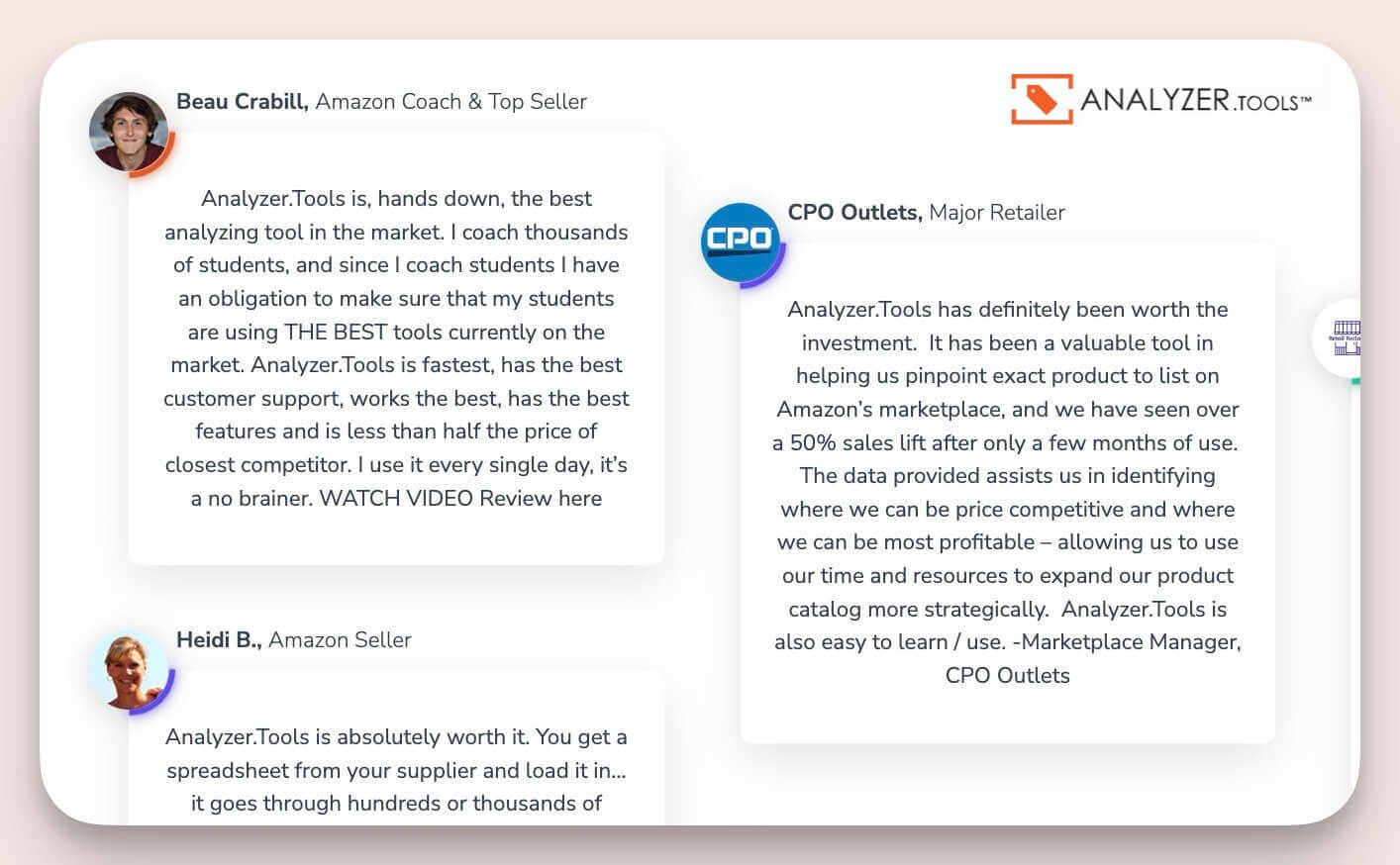
An Image Of Analyzer Tools With Testimonials A Better Alternative To Scan Unlimited
Scan Unlimited Alternatives: 5 Tools For Sellers Seeking More Features 7

Its filtering and sorting features enable sellers to handle both FBA and MFN calculations with remarkable precision. Beyond basic analytics, stage.analyzer.tools offers customizable dashboards, detailed profit calculators, and real‑time updates that empower users to manage thousands of listings.

Its dual compatibility with Windows and web‑based applications ensures seamless integration into diverse workflows, making it indispensable for high‑volume catalog evaluations.

2. Keepa

Keepa is a popular tool for Amazon sellers that provides real-time and historical data on product prices and sales ranks. Its browser extension integrates directly into Amazon, showing detailed price history charts and sales trends without needing to leave the product page. This makes it especially valuable for spotting pricing patterns and understanding a product’s past performance.

That said, Keepa has some downsides for power users. While it offers some bulk analysis features, they’re limited when working with large lists. It also doesn’t include built-in calculations for fees, ROI, or profit, so sellers have to check each item manually or use other tools to fill that gap. Because of this, Keepa is often used as a companion tool rather than a standalone solution for profitability analysis.

3. Price Checker 2

Price Checker 2 excels at providing up‑to‑the‑minute pricing updates and competitive market analysis. Its streamlined interface lets you effortlessly track price fluctuations, compare historical trends, and gauge competitor strategies at a glance.

This tool is especially valuable for sellers who need to optimize pricing decisions on the fly. With integrated trend visualizations and detailed competitor comparisons, Price Checker 2 offers a strategic advantage, ensuring that you can pivot quickly in response to market dynamics.

4. rocketsource.io

rocketsource.io offers robust market insights paired with efficient product research capabilities. Its advanced scanning engine uncovers both historical trends and current sales figures, delivering a comprehensive picture of market performance.

rocketsource.io is highly regarded for its clean interface and rapid data processing. It seamlessly integrates real‑time analytics with predictive insights, enabling sellers to identify emerging opportunities quickly. The platform’s deep dive into competitor metrics and market segmentation helps you optimize listings and stay ahead in competitive niches.

5. smartscout

smartscout leverages AI‑driven analytics to deliver highly accurate sales estimates, keyword insights, and trend forecasting. Its predictive approach allows sellers to pinpoint emerging market opportunities and optimize listings based on robust, data‑driven insights.

smartscout stands out for its user‑friendly design and powerful visualization tools. The platform’s advanced market prediction algorithms and comprehensive dashboard provide clarity and direction, making it a top choice for sellers who value innovation and precision in their product research strategies.

Comparing Accuracy and Pricing

Accuracy levels vary among these five platforms. stage.analyzer.tools excels in high‑volume data processing, while AT and Price Checker 2 offer rapid scanning with real‑time updates that keep you ahead of market trends. rocketsource.io delivers deep, actionable market insights, and smartscout’s advanced predictive analytics offer a strategic edge in competitive environments. Pricing is a key factor too—many sellers opt for demos or short‑term trials to determine which tool best aligns with their workflow and budget

Why stage.analyzer.tools Stands Out

If you’re serious about scaling your Amazon business, stage.analyzer.tools delivers a strong edge with a set of features tailored for high-volume, data-focused sellers. Here’s what makes it a standout choice:

  • Lightning-Fast Bulk Scans: Whether you’re analyzing a few hundred or tens of thousands of products, stage.analyzer.tools processes large lists with speed and accuracy. This is ideal for wholesale and online arbitrage sellers who depend on spreadsheet-based sourcing.
  • 58+ Data Points Per ASIN: Get detailed insights including FBA/FBM fees, ROI, net profit, sales rank, estimated monthly sales, buy box offers, and more—all in one scan. No need to jump between tools.
  • Built-In Profit Calculations: Unlike some tools that show raw data only, stage.analyzer.tools gives you instant visibility into profit margins, fees, and break-even points, so you can make decisions faster.
  • Real-Time Updates: Market data changes fast. stage.analyzer.tools stays synced with live Amazon data, helping you stay on top of price shifts, new competitors, and buy box changes.
  • Custom Filters & Views: Narrow down your product lists based on exactly what matters to you—whether it’s ROI thresholds, minimum monthly sales, or specific seller counts.
  • Export-Ready Results: Easily export filtered product lists for sourcing, repricing, or team collaboration. Clean formatting makes it simple to move from research to action.
  • Dual Compatibility: Use it via desktop or web—stage.analyzer.tools fits well into whatever workflow you’re running, whether you’re sourcing on the go or managing data at your desk.

If you’re looking for a tool that keeps up with the pace of modern Amazon selling and puts profitability front and center, stage.analyzer.tools is built for the job.

Bottom Line

Each alternative caters to different needs—from bulk product analysis to AI‑driven market predictions. If Scan Unlimited isn’t delivering all the features you require, these five tools provide robust options to enhance your Amazon selling strategy. By testing these platforms, you can find the one that best meets your needs—whether that means more precise profit tracking, unlimited scanning, or real‑time pricing updates.

In the surge toward 2025, Amazon sellers are seeking reliable data, streamlined workflows, and high‑impact features. The right tool can make all the difference in hitting your targets and staying competitive.

References

1. Scan Unlimited. (2025). “Amazon Seller Report 2025.” Available at: https://www.scanunlimited.com/resources/report-2025/

2. enjoy-aiia.com. (2025). “Scan Unlimited Alternatives.” Available at: https://enjoy-aiia.com/scan-unlimited-alternatives/

3. G2. (2025). “User Reviews for Amazon Selling Tools.” Available at: https://www.g2.com/

Private Label vs. Wholesale Sourcing: Which Fits Your Budget & Goals?

Amazon FBA has opened doors for thousands of entrepreneurs to sell products at scale. In fact, 54% of Amazon sellers now go the private label route, while 26% resell established brands through wholesale (blog.adnabu.com, 2023). If you’re looking to stand out on this platform, you might first explore finding profitable items for your store before deciding on your ideal sourcing model.

Choosing the right approach between Amazon FBA private label vs wholesale can shape your startup costs, margins, and timeline.

  • Private label lets you build your own brand and potentially higher profit margins but requires more up-front investment and marketing.
  • Wholesale offers a faster time-to-market with established brands and lower initial costs, but generally sees slimmer margins and increased competition.
  • Choosing the right sourcing model shapes how much time, money, and risk you take on as you grow your Amazon business.
  • Monitoring inventory, vetting suppliers, and keeping up with Amazon policy changes are common challenges in both models.
  • Some sellers opt for a hybrid model, mixing private label and wholesale to balance risk and maximize opportunity.

The Appeal of Private Label

Private label means placing your own brand on a product that’s manufactured by a third party. This approach allows you to customize product features, packaging, and branding. For sellers who love creative control, private label offers a sense of ownership over your catalog.

Market data suggests private label products can earn profit margins of 20–40% when done right. You’re not just selling a commodity—you’re building brand loyalty that can stretch beyond Amazon. Still, launching a label requires capital, product design know-how, and marketing savvy.

Many new private label sellers rely on factories in China or Southeast Asia to keep production costs low. Others choose domestic suppliers to reduce shipping times and potential import complications. In any case, thorough research matters to avoid miscommunication, subpar quality, or shipping delays.

Related: Tariff impact on Amazon Wholesale, PL, OA/RA Sellers— Why Wholesale is the Smartest Bet

Seller polls show that the initial investment to start a private label on Amazon FBA can range from $4,000 to $12,000 (webycorp.com, 2025). These funds cover product samples, logo design, freight, and your first batch of inventory. Some experts say new sellers need a buffer since there’s no guarantee sales will pick up quickly.

Beyond that, brand ownership has perks you can’t get by reselling established names. You can tweak your listing images, create A+ Content, and run ads at your own pace. If your product resonates with buyers, eventually it can attract repeat customers and become a long-term asset.

For guidance on handling suppliers and research tactics, you can use a variety of helpful sourcing research apps. These resources offer product data, help you compare quotes from multiple manufacturers, and estimate your costs.

Understanding Wholesale

Wholesale means buying bulk goods from recognized brands and reselling them under the brand’s existing identity. You benefit from built-in demand since these items already have name recognition. The time from purchase to sale can be shorter than in private label if the products are well-known.

This model typically requires a smaller initial outlay than private label. You don’t have to invest heavily in branding, package design, or market testing. If you locate a reliable distributor, you can get your offering live on Amazon in weeks instead of months.

The downside is that your profit margins may be slimmer. Wholesale margins might fall within 10–20%, although some categories can reach higher. You’re also competing with other resellers of the same product, which can lead to so-called “price wars.”

That said, wholesale is still popular with new sellers who want a more predictable workflow. You aren’t juggling logo design or sampling rounds. You just manage inventory levels, keep an eye on the market, and aim to win the Buy Box by keeping your pricing and stock in good shape.

Many wholesalers clinch supplier agreements where they enjoy better unit costs and exclusive distribution rights. Fostering solid relationships can lead to perks like quicker shipping or priority inventory. Even though brand owners set the official retail price, you can adjust slightly to stay competitive.

Amazon sellers looking to improve their profit analysis for wholesale should consider leveraging advanced research tools. Platforms that offer FBA fee and profit calculators can provide more accurate margin estimates and help you adjust your strategy as costs change. Additionally, staying on top of restricted brand guidelines is essential, and resources like Amazon restricted brands explained can help you avoid compliance issues when sourcing products at scale.

Side-by-Side Differences

Private label and wholesale differ dramatically in product differentiation, competition, and brand control. If you crave a unique branded presence on Amazon, private label wins. On the other hand, if you want to tap into existing consumer trust quickly, wholesale may be more appealing.

Profit margins are another key point. Private label may yield more per sale if your branding and product quality impress shoppers. Wholesale might have narrower margins, but there is often less risk involved if the products are already in demand.

Time frame also factors in. Private label often takes longer from concept to store shelf. You need sample approvals, design tweaks, and production runs. Wholesale is typically faster to set up since your supplier relationship revolves around existing stock, but you could face heavy competition.

Profit Margins

Private label margins can reach 40% or more, especially in niche categories. Wholesalers often see 10–20%. Considering FBA fees, shipping, and potential Amazon PPC costs, you’ll want to calculate if the margin you expect can handle any unexpected spikes in freight or ad expenses.

If you’re stepping in with lower capital or prefer stable cash flow, wholesale can be appealing. Private label demands more spending up front, but it may pay off with larger returns when your brand gains traction. Always test your numbers carefully rather than guessing.

Competition and Branding

Wholesale listings include multiple resellers fighting for the Buy Box. One brand can have many authorized distributors, and you must stand out with either price drops or top-notch seller metrics. Private label, on the other hand, means you won’t share the Amazon listing with random third parties, unless they’re counterfeiting.

Building your brand identity can be a distinct advantage for private label. You gain creative freedom over packaging, brand story, and messaging. However, it also means more marketing work to educate the audience on why your product is special.

Key Factors to Consider

Deciding between private label and wholesale involves more than just profit calculations. The time you can commit, your budget, and your tolerance for brand-building tasks weigh heavily. Some sellers even blend both models, especially after they gain experience.

If you’d like more insights on how each path aligns with expenses and growth potential, check out this in-depth guide to Amazon FBA sourcing strategies. Spotting the pros and cons up front helps you avoid wasted resources.

You might also consider where your strengths lie. If you’re passionate about product design, private label could be a better fit. If you excel at negotiations and want a quicker route to inventory, wholesale may feel more natural.

In either scenario, be mindful of the brand owners or suppliers you choose. A supportive wholesale partner can tip the scales to your advantage. Similarly, a reliable manufacturer for your private label can help minimize production delays.

For new Amazon sellers, having access to a useful free toolkit can help execute research, track profitability, and launch products more efficiently—even if your operating budget is limited at the start.

Common Pitfalls in Both Strategies

Whether you’re customizing products or buying recognizable brands, mistakes can happen. One frequent pitfall is poor inventory planning. Running out of stock halts your momentum and can hurt your search rankings on Amazon.

Quality issues can also emerge. For private label, a defective product can damage your new brand quickly. For wholesale, you could lose distribution rights if buyers return too many faulty items.

Another pitfall is ignoring production or supplier backgrounds. It’s smart to verify a supplier’s track record, check their communication style, and confirm the manufacturing specs. If you’re concerned about product consistency, you can take steps to avoid supplier pitfalls before shipments ever leave the factory.

Additionally, watch for policy changes on Amazon. The marketplace updates rules on brand gating or listing content quite frequently. You’d be wise to follow official announcements or consult with Amazon-focused communities to stay informed.

Could a Hybrid Model Work?

Some sellers embrace both wholesale and private label to diversify revenue streams. They might start with wholesale for quicker cash flow, then reinvest profits to launch a unique product. This approach mitigates risk while building brand value over time.

A hybrid model does mean juggling two sets of supplier relationships. However, it can also let you pivot if one category becomes oversaturated. For instance, if your wholesale item faces stiff competition, your private label brand might keep you afloat as it gains traction.

Still, splitting focus can slow your progress. Each model has different tactics for marketing, cost tracking, and inventory planning. Take this route only if you’re comfortable managing both sides effectively.

Bottom Line

The debate between private label and wholesale is less about which method is universally “best” and more about aligning with your resources and objectives. A robust private label brand can open doors to loyal customers, higher margins, and product line expansions. Meanwhile, wholesale can supply faster wins on listings with proven demand.

Before making your choice, it’s wise to understand the core of product research. Data on profitability trends, supplier reliability, and market forecasts will shape the path for your Amazon FBA business. Look at all angles and be prepared to adapt as you gain experience.

Whichever strategy you adopt, remember that success depends on consistent monitoring. Track your margins, keep tabs on competition, and adjust your tactics. Over time, you’ll develop a scalable formula that meets your growth goals on Amazon.

If you want to streamline your wholesale product research, stage.analyzer.tools offers advanced analytics, supplier list scanning, and deep Amazon insight. Whether you’re reverse sourcing, vetting wholesale catalogs, or just looking to discover your next profitable SKU, stage.analyzer.tools can help accelerate smart decision-making for your Amazon business—at scale.

FAQ

What’s the main difference between Amazon FBA private label and wholesale?
Private label means creating your own branded product (usually made by a third party), allowing you full control over branding and marketing. Wholesale lets you purchase name-brand products in bulk and sell them on Amazon, benefiting from existing brand recognition but with less creative freedom.

Which model has the lowest startup costs?
Generally, wholesale requires a lower initial investment since there’s no need to design products, packaging, or branding. Private label costs more upfront due to development, samples, and minimum orders.

How do profit margins compare for each approach?
Private label sellers may see higher profit margins (sometimes up to 40% or more in the right niches), while wholesale margins typically fall between 10–20%. However, both models involve variables like Amazon FBA fees, shipping, and advertising costs.

Do I need special tools or software to succeed with wholesale or private label?
While not required, leveraging software—such as product research platforms or profit calculator tools—can be a big advantage, especially for bulk analysis or tracking profitable opportunities. Review resources like stage.analyzer.tools or guides about alternatives to bulk scanning tools to boost your sourcing process.

What’s the best way to avoid mistakes when starting out?
Whether selling via wholesale or private label, research is crucial: analyze suppliers, know Amazon’s restricted brands rules, and keep current with fee and policy updates. Tools and educational resources can help you navigate the process and minimize costly pitfalls.

References

blog.adnabu.com. (2023). Amazon seller statistics. Retrieved from https://blog.adnabu.com/amazon/amazon-seller-statistics/

sellerinteractive.com. (2024). Amazon FBA wholesale vs. private label. Retrieved from https://sellerinteractive.com/blog/amazon-fba-wholesale-vs-private-label/

webycorp.com. (2025). How to start Amazon FBA business in 2025. Retrieved from https://webycorp.com/blog/how-to-start-amazon-fba-business-in-2025/

amzscout.net. (n.d.). Guide to Amazon FBA private label. Retrieved from https://amzscout.net/blog/amazon-sourcing-guide/

Making the Most of Amazon’s Own Free Resources for FBA Sellers

Free Amazon FBA tools have become critical for serious Amazon sellers looking to save costs and maximize profit. Business owners, side hustlers, and full-scale eCommerce brands alike depend on free solutions to manage aspects such as product research, pricing, and keyword insights. According to a study by SellerApp, over 70% of new sellers try at least three free tools to jump-start their operations in their first six months.

For those aiming to get more out of no-cost offerings, exploring how free alternatives can cover most essential functions can be a game-changer. Many also succeed by exploring free alternatives that deliver similar benefits, so even first-time sellers can handle tasks without paying for high-priced subscriptions.

Why These Resources Matter for 2024

Amazon sellers face an environment where listing optimization, stock management, and pricing adjustments happen nonstop. Free tools help give a competitive edge without straining your budget. A recent survey by Jungle Scout indicates that 62% of Amazon sellers use at least one no-cost tool for essential tasks such as profit estimation or keyword analysis.

While premium software may offer advanced features, many free platforms deliver strong fundamentals. They can be pivotal in discovering high-demand niches, preventing stockouts, and connecting sellers to data that used to be expensive to access. They also work well in combination with each other—allowing you to gather insights from multiple angles.

Key Factors to Look for in Free FBA Solutions

Trustworthiness, ease of use, and relevance to your goals stand out as top considerations. Tools that pull data from Amazon in real time tend to be the most dependable. Free versions often limit the breadth of data, but if you combine them creatively, you can come close to premium-level insights.

Frequent updates are another major factor. Some free solutions fall behind when Amazon changes its algorithm, so pick tools that demonstrate ongoing improvements. User reviews, active forums, and direct mention on reputable sites usually signal reliability.

Quick Tip: Converting ASINs to UPC/EAN for Amazon Research

Streamlining your research workflow is crucial when working with Amazon supplier lists or bulk product data. If you often need to convert ASINs to UPCs, EANs, or other identifiers, consider using specialized tools to save time and reduce manual errors. stage.analyzer.tools offers a free ASIN to UPC/EAN converter that’s ideal for anyone processing large catalog files or verifying cross-platform compatibility during product research. Leveraging conversion tools can make bulk analysis, inventory uploads, and compliance checks much faster for professional sellers.

1) stage.analyzer.tools

stage.analyzer.tools is a no-cost option for bulk product analysis when you take advantage of free trials or short-term passes. It calculates fees, tracks potential profits, and processes large product lists. Many advanced solutions overlook new sellers with tight budgets, but this platform accommodates different business sizes. Compare it to other solutions, and you’ll see major time savings in product selection and pricing estimates.

One benefit is how it addresses hidden costs such as inbound shipping or multi-pack arrangements—features that sometimes require paid add-ons elsewhere. It also helps with FBA versus Merchant Fulfilled Network calculations. While the Windows and web-based versions often have paid tiers, sellers can leverage free trials to gain access to advanced analytics on a short-term basis. That approach is ideal for quickly evaluating potential winners or cutting losses on underperformers.

2) Amazon Seller App

The official Amazon Seller App often goes unnoticed yet has powerful functions at no extra cost. You can list items, track sales, and quickly respond to customer messages. The real-time advantage is huge if you need to check inventory and account health away from your desktop.

Although the app lacks in-depth metrics like automated repricing, it excels at basics: scanning barcodes for quick listing and updating product info anytime. This is especially valuable if you juggle daily tasks or rely on retail arbitrage strategies. Compared with third-party mobile versions, having Amazon’s official support ensures that feature updates roll out consistently.

3) Amazon FBA Revenue Calculator

This no-frills resource estimates total fees and potential profits per item. It shows the cost difference between FBA and self-fulfillment. If you want to see how shipping impacts final margins, the tool makes that simple.

Many sellers compare results from the FBA Revenue Calculator to those from more advanced fee analyzers. While the calculator only covers direct costs (like FBA fees and referral charges), it offers reliable baseline figures. For new sellers who lack the capital for multiple subscriptions, these numbers supply a quick sanity check before investing in stock.

4) Keepa

Keepa provides a free Chrome extension with price-tracking features useful for spotting market dips or spikes in real time. It displays price-history graphs and notifies you when a product’s cost hits your target range. Sellers looking to optimize profitability frequently rely on Keepa to decide when to reorder inventory or adjust listing prices.

In comparison to other price-trackers, Keepa’s free plan offers a robust visual interface, showing how pricing and Best Sellers Rank shift over weeks or months. More advanced features—like advanced data exports—sit behind a paid tier, but many find the free version sufficient for day-to-day tracking. The extension also works seamlessly with Amazon’s product pages, so sellers can observe patterns with just a glance. For power users, you may also want to explore little-known free Chrome extensions for Amazon sellers to add further capabilities and streamline your research process.

5) Sonar by Sellics

Sonar is a free keyword research system that taps into data from Amazon searches. It reveals popular search queries, related terms, and approximate keyword traffic. Having a constant feed of relevant keywords helps you strengthen listing titles and bullet points, particularly in competitive niches.

Most free keyword tools limit how many queries you can run daily. Sonar is fairly generous with this quota. Pairing Sonar data with your existing product ideas can speed up listing optimization. For those missing advanced tracking of rank positions or real-time competitor insights, paid plans might be tempting, but Sonar’s no-cost foundation is enough to test core keyword strategies.

6) Amazon Brand Analytics (for Brand-Registered Sellers)

Brand Analytics is free, but only brand-registered sellers can unlock it. Once inside, you’ll discover data on customer search terms, top clicked products for each query, and market basket insights. This is extremely useful if you want to gauge brand loyalty or find cross-selling ideas.

Too often, people stick to general research tools and skip this Amazon-provided feature. The clarity it offers on actual customer behavior is unmatched—especially if you care about which competing listings snag the most clicks. Brand Analytics stands head-to-head with external paid solutions in revealing common search patterns. If your brand is registered, ignoring this resource could cost you an edge. For more on how using data like this shapes larger trends, see the latest Amazon statistics and seller benchmarks.

7) Keepa-Like Alternatives (CamelCamelCamel)

CamelCamelCamel also delivers price-history tracking for free without any complicated sign-up. Like Keepa, it shows how a listing’s cost moves over time. You can add watch alerts straight to your email inbox for timely updates.

While CamelCamelCamel lacks certain advanced chart overlays that Keepa offers, some prefer its simpler data layout. For quick product checks, the website version suits those who want to see if a sale price is truly a bargain or just a brief dip. Comparing CamelCamelCamel to Keepa, both reflect the same type of historical data; the choice comes down to which user interface fits your style.

Comparisons Among These 7 Tools

All seven focus on boosting profits at zero cost. stage.analyzer.tools expands your ability to manage multiple items quickly, whereas the Amazon Seller App is more about real-time alerts and basic management. FBA Revenue Calculator drills into fees and margins, while Keepa keeps track of price fluctuations over time.

Sonar and Brand Analytics concentrate on SEO and search trends, though Brand Analytics offers more advanced click data—assuming you have brand registry. CamelCamelCamel parallels Keepa’s price tracking but distances itself with a streamlined interface. Combining two or three can produce a stronger toolset than relying on any single option.

When to Mix and Match Free Solutions

Some resources are best used together. For instance, you could run a product through the FBA Revenue Calculator while also checking Keepa for historical prices. Then consult Sonar to refine your listing’s keywords. This layered approach helps avoid hidden pitfalls, like choosing an item with decent margins but poor long-term demand.

Sellers who mix free solutions often see faster results than those who rely on one paid tool alone. To explore how multiple free apps can cover research gaps, consider reading about free tools that rival paid solutions and how they stack up against well-known platforms.

Practical Steps to Get Started

First, identify the areas where you need the most assistance—be it keyword research or profit calculations. Choose at least two tools that match your requirements, then do a short test run with real product ideas.

Next, keep an eye on your results over a week or two. For instance, if you spot a potential item and confirm its profit margins through the FBA Revenue Calculator, set a Keepa or CamelCamelCamel alert. If the alert notifies you of a price drop, that might be the moment to place a bulk order. Finally, track how your listing performs with the Seller App and refine keywords with Sonar or Brand Analytics.

Do They Really Beat Paid Options?

Free apps can bring significant value, especially in the early stages of selling. While paid suites bundle multiple features into one platform, not everyone needs that level of detail right away. If you’re on a tight budget, harnessing these no-cost solutions is your best move to collect data, test new product lines, or stabilize your Amazon metrics.

For sellers who want to keep overhead low, mixing free tools frequently outperforms expensive software if you only require limited analytics. As your volume scales, you may question whether to switch to a paid service. Yet seasoned power sellers often keep a combination of free and paid solutions to cover each base efficiently.

Key Takeaway for Ambitious Sellers

Relying solely on guesswork is risky in an eCommerce market that shifts every day. By applying free software like stage.analyzer.tools, Keepa, or Sonar, you can gather actionable information without overspending. Over 60% of new businesses on Amazon stay profitable in their first year when they adopt this type of strategic tool usage (Source: Helium 10 research).

For more insights on spotting profitable opportunities, check out discovering profitable Amazon FBA niche ideas so that your next product launch hits home with your audience. Cultivate solid data habits early on, and you’ll see tangible improvements in margins and sales velocity.

If you’re interested in further expanding your toolkit or upgrading to more in-depth solutions once you see positive results, be sure to explore how each free resource can transition into a comprehensive strategy. This gradual approach keeps your risk low while you build up capital.

Ready for the next step? Dive into advanced strategies with Amazon sourcing research tools to refine your supplier selection. Free options form a solid foundation, but exploring deeper ways to source items that match your market can multiply your return on investment.

Looking to streamline your wholesale sourcing workflow and spot profitable products fast? stage.analyzer.tools is purpose-built for professional Amazon sellers who need speed, accuracy, and reliable bulk analysis. Scan entire supplier spreadsheets, uncover real sales data, and take your sourcing strategy to the next level—whether you’re an established power seller or just beginning to scale. Try it to see how much time and effort you can save identifying your next winning product.

FAQ

Can I use free Amazon FBA tools alongside paid software?
Absolutely. Many experienced sellers combine free tools with paid solutions to cover various workflow needs. Free apps are perfect for basic research, quick checks, or spot verifications, while paid platforms often provide deeper analytics or automation. This blended approach can be cost-efficient without sacrificing important data points.

Do free Chrome extensions for Amazon really add value?
Yes, many free Chrome extensions for Amazon sellers help speed up research tasks or provide at-a-glance data, such as historical price charts, review ratings, or sales rank. These add-ons are handy for on-the-fly analysis and don’t require a big learning curve. For unique functionalities, explore lesser-known options that extend beyond the standard features.

What secondary features should I look for in bulk research tools?
Beyond profit estimates and sales data, secondary functions like converting ASINs to UPC/EANs, filtering restricted brands, and flagging IP risks are valuable for keeping your Amazon business safe and efficient. These advanced filters can limit costly sourcing mistakes and streamline your catalog management.

Are Amazon FBA revenue calculators accurate for making purchase decisions?
A free Amazon FBA calculator delivers a good baseline for cost and margin estimates. Use it for quick initial screening, but remember that it may not capture all your unique business expenses (like inbound shipping or prep fees). Combine calculator results with other research tools to confirm a product’s full profit potential before buying inventory.

Where can I find more data and trend insights for 2024?
For broader seller trends, market benchmarks, and marketplace shifts, visit the stage.analyzer.tools Amazon statistics page for regularly updated insights tailored to professionals.

References

SellerApp. (2023). Free Amazon FBA tools usage survey. Retrieved from https://www.sellerapp.com/blog

Helium 10. (2023). State of the Amazon seller report. Retrieved from https://www.helium10.com/tools/free/

Market Trends vs. Evergreen Products: Which Is Best for Amazon FBA?

Amazon FBA strategy success hinges on choosing the right approach to product selection. If you’re a professional Amazon seller aiming for stable revenue, you’ve likely come across two major paths: capitalizing on market trends Amazon or focusing on evergreen products Amazon. Each path can boost Amazon seller success, but their demands and risks differ wildly.

Whether you’re a solo entrepreneur or part of a larger team handling Amazon product selection, understanding how these two approaches stack up can guide your entire business direction. For an in-depth overview of how research shapes your product decisions, you can explore this resource about Amazon market research.

Below, we’ll look at short-term trends and reliable evergreen options, offer data-backed insights on each, and highlight ways you can mix both for steady, profitable growth.

What Market Trends Mean on Amazon

Market trends on Amazon are rapid shifts in consumer demand. They can spring from social media buzz, current events, or seasonality. According to a 2025 study by Webinterpret, 42% of successful Amazon sellers used social media platforms like TikTok to drive traffic to trending items, underscoring how quickly a product can take off if it hits the right audience [1]. Sellers who spot these spikes early often reap large profits.

Trends can fizzle, though. A report by Jungle Scout found products riding a viral wave may see sales collapse faster than they rose—sometimes within three or four months [2]. This is where timing and inventory management become critical. Ordering too much stock when a trend cools can leave you with surplus items that become costly to store.

For those still intrigued by spotting the next hot item, consider starting with limited quantities. This tactic helps you avoid over-committing until you confirm steady demand. You can also check out the step-by-step process in finding a product to sell on Amazon without guesswork, which offers tips to help refine your initial product orders.

Common Product Research Challenges for Amazon Sellers

One of the top struggles for Amazon FBA businesses is efficiently evaluating supplier lists and avoiding restricted products or brands. As you scale, it can become time-consuming to do accurate bulk analysis or check for intellectual property risks. Many sellers turn to specialized Amazon product research tools to streamline their workflow, filter out restricted items, and perform in-depth profit analysis on large catalogs. Leveraging the right research software not only minimizes risk but also boosts the rate at which you can discover both evergreen and trending opportunities.

What Makes a Product “Evergreen”?

While trends burst onto the scene, evergreen items serve year-round needs. Staples like home organizers or kitchen basics rarely depend on a holiday or cultural moment. A study by SellerEngine found that these products maintain a stable search volume over 12 months, sometimes shifting by less than 15% throughout the year [3].

The secret? Evergreen offerings address ongoing consumer problems or daily routines. Think office supplies, cleaning products, or pet care essentials. Such items have consistent demand, making them less prone to big sales dips. Many Amazon sellers value the predictability that comes with evergreen categories, even if they might move slower than a trending gadget at its peak.

There’s a hidden perk, too. Evergreen products often help you form repeat customer relationships. When shoppers need the same essential regularly, they’re more likely to reorder from a brand that delivered a good experience the first time.

Risk and Opportunities: Comparing Both Approaches

Market trends can lead to massive gains if you move quickly, but there’s a downside: unpredictable demand. Overextending your inventory can result in high storage fees once the trend tapers off. According to a survey of over 1,000 Amazon sellers, 35% admitted to a major loss thanks to a fading product fad [4].

By contrast, evergreen products experience less volatility. Steady search volumes mean fewer worries about overstock. Profits might grow more gradually, but the consistency helps you forecast sales and manage your monthly overhead. This route also can help you spread out your brand presence—buyers might remember you for additional everyday staples you offer.

No strategy is without risk. Even evergreen items can become oversaturated. If a market becomes too crowded, new entrants might struggle to stand out and sustain profit margins. Consequently, success often lies in finding a unique angle or a valuable variation.

For sellers curious about competitor product selection and how it affects both trending and evergreen strategies, our guide on choosing the right competitor tool shares tips for monitoring leading storefronts and adjusting your approach with real data.

Combining Market Trends and Evergreen Items

Some of the most robust Amazon sellers balance both. They keep half of their inventory in evergreen items for dependable income, and the remaining half in trendy, higher-risk products. This approach diversifies your stock and buffers you if a quick-rising fad collapses out of the blue.

Data from Jungle Scout indicates that hybrid sellers—those evenly combining evergreen and trend-focused lines—reported 20% lower overall business risk compared to trend-only sellers [2]. Additionally, evergreen mainstays can act as a safety net when a risky bet doesn’t pan out. If you’re searching for software to source supply leads efficiently, you might look into Amazon sourcing research tools that can help you switch gears depending on whether you’re after a trend or a core product.

This dual focus also supports brand expansion. For instance, if you launch a trending product that unexpectedly transforms into a consistent seller, you can move it into your evergreen category. On the other hand, a reliably selling evergreen item can be upgraded with trend-based extras—like holiday versions or tie-ins to popular cultural themes—bringing a fresh wave of buyers.

Key Takeaway

Basing your Amazon FBA strategy purely on either trends or evergreen products can limit growth. You need short-term bursts of revenue from hot items and a stable financial foundation from dependable listings. By mixing both, you hedge against shifts in consumer interest while creating sustainable profit streams for the long haul.

If you want to read more about balancing popularity spikes and consistent revenue, visit our detailed guide on how to find a product to sell on Amazon without guesswork. With the right product mix and data-driven planning, each approach can be a stepping stone to lasting success on Amazon.

FAQ

How do I decide whether to focus on trends or evergreen products?
It depends on your risk tolerance and resources. If you prefer predictability and steady growth, evergreen products are generally safer. If you have the ability to move quickly and manage inventory actively, capitalizing on market trends Amazon can produce fast gains—just be aware of the higher risks and shorter product lifecycles.

Can I use both strategies at the same time?
Yes, many experienced Amazon sellers combine trend-driven listings with evergreen products. This diversified approach helps balance quick wins with long-term stability, allowing you to ride market trends while depending on core staples for baseline revenue.

How do Amazon FBA fees impact my choice of products?
Amazon FBA fees can significantly affect profitability, especially for trending products with uncertain sell-through rates. It’s crucial to factor storage and fulfillment costs into your product analysis. For a closer look at cost factors, you may want to review Amazon FBA costs to ensure your pricing model supports sustainable margins.

What tools can help with bulk product analysis?
Solutions like stage.analyzer.tools allow you to upload large supplier price lists, check product restrictions, and analyze profitability at scale. This makes it much easier to efficiently vet both evergreen and trending products.

How do I monitor restricted brands or avoid intellectual property issues?
Before sourcing new items, using dedicated research tools can alert you about Amazon restricted brands or known IP risks. These alerts protect your Amazon seller account and help you stay compliant as you expand your catalog.

Ready to accelerate your Amazon product sourcing? stage.analyzer.tools empowers professional sellers to bulk analyze supplier catalogs, forecast demand with accuracy, and safeguard your account using real data. Give your team an edge—explore the features or start a trial to see if it’s the right fit for your Amazon business.

References

Webinterpret. (2025). Amazon trends and statistics in 2025. Retrieved from https://www.webinterpret.com/us/blog/amazon-trends-and-statistics-in-2025
Jungle Scout. (2025). Amazon seller report 2025. Retrieved from https://www.junglescout.com/resources/reports/amazon-seller-report-2025/
SellerEngine. (2025). Evergreen products, differentiation, and pricing. Retrieved from https://sellerengine.com/evergreen-products-differentiation-and-smart-pricing/
Mayple. (2025). Not sure which Amazon FBA products to sell in 2025? Retrieved from https://www.mayple.com/resources/amazon-marketing/amazon-fba-products

5 Red Flags That Signal Potential Compliance Issues (Amazon Sellers)

Amazon seller compliance can make or break your success on the platform. If you’re a third-party seller aiming to avoid an Amazon account suspension while following Amazon selling rules, you might be wondering which warning signs indicate big trouble. Whether you’re a solo entrepreneur or part of a larger operation, spotting issues early is key to seller account protection.

Stay ahead by recognizing red flags that may lead to Amazon policy violations, and fix them before they escalate. If you’d like more tips on identifying suspicious signals, check out our guide on avoiding IP claims on Amazon—a helpful resource for maintaining your seller account compliance.

  • Spot performance metric issues early to protect your Amazon account.
  • Respond promptly to policy violations and IP claims.
  • Maintain updated product documentation and supply chain proof.
  • Use quality checks to reduce returns and stay in good standing.
  • Proactive compliance helps avoid account suspensions.

1. Sudden Spikes in Negative Performance Metrics

Amazon tracks crucial performance indicators, including Order Defect Rate (ODR), Late Shipment Rate (LSR), and Valid Tracking Rate (VTR). A swift rise in ODR—anything above 1%—often points to deeper compliance troubles. Overlooking these metrics can lead to immediate listing removals and, in severe cases, full account deactivation.

Performance metrics matter because they reflect how well you’re fulfilling customer orders. According to the Journal of E-Commerce Research, 18% of active Amazon sellers face at least one compliance-related restriction or suspension annually. Poor metrics are usually the root cause of these restrictions. If you notice a sharp jump in negative feedback or late shipments, act fast to investigate potential causes.

Start by updating product listings to match actual inventory and verifying that shipping times are realistic. You’ll also want to respond quickly to any negative feedback so you can reduce your risk of spiraling performance scores.

2. Repeated Warnings About Policy Infractions

Receiving multiple policy violation notices from Amazon is a serious sign of deeper compliance problems. These notices could involve prohibited claims in your product descriptions, incorrectly labeled goods, or attempts at manipulating reviews. While a single warning can be a simple oversight, repeated infractions often signal a risky pattern.

When Amazon sends you a warning, they typically specify the nature of the violation. Sellers who ignore such notices may find their listings restricted or face an outright suspension. In 2024, Amazon suspended 32% more accounts than the previous year due to recurrent infractions of new AI-content guidelines (Amazon Seller Central Blog, “2025 Q1 Policy Enforcement Report”).

Keep your content accurate and transparent. Double-check title lengths, bullet points, and images for compliance. Also, review category guidelines—certain product types might have extra requirements you haven’t considered.

3. Intellectual Property Conflicts and Complaints

Intellectual property (IP) violations are a fast-track ticket to harsh penalties. Whether it’s unauthorized use of trademarks or selling counterfeit products, Amazon treats IP conflicts as major offenses. Sellers in highly competitive niches—like electronics or luxury goods—are especially vulnerable to brand infringement claims.

Some sellers realize their authenticity documents are outdated only after Amazon requests evidence. Others discover belatedly that they’re sourcing from unverified suppliers, leading to IP-focused takedowns. If you want more guidance on avoiding these battles, you might explore how to steer clear of IP claims and maintain brand safety.

A best practice is to document your entire supply chain. If you’re reselling a branded product, confirm that your vendor is authorized. Keep purchase invoices, authorized reseller letters, and brand registry details in one secure spot. A single IP claim can threaten your entire Amazon business, so don’t wait for a takedown notice to get your records sorted.

Optimizing Sourcing for Compliance and Profit

Consistently sourcing products from approved vendors is an effective way to reduce compliance risks and detect potentially restricted brands before issues arise. If you’re handling bulk price sheets, leveraging Amazon seller software like stage.analyzer.tools helps identify not only profitable products but also those with a history of policy violations or IP claims. By adding automated tools to your sourcing workflow, you’ll have more data for decisions, and stay current on Amazon restricted brands and regulatory shifts. Regular supplier vetting protects your seller account—and streamlines compliance for both growing teams and solo operators.

4. Missing or Inaccurate Documentation for Product Listings

In many categories—especially those with strict health or safety guidelines—Amazon may demand certificates, test reports, or safety documentation. Having incomplete or inaccurate paperwork makes you look unprepared and can provoke compliance crackdowns. Product listings must match details from manufacturing certificates to pass random audits.

One statistic to remember: 53% more product listings were removed in 2024 due to safety non-compliance (Consumer Product Safety Commission, “Online Marketplace Safety Trends 2024”). A big part of that is missing or invalid safety documents. If Amazon requests proof of authenticity or product safety, you need to provide it quickly.

Check category restrictions and gather relevant documents. For instance, children’s toys often require ASTM or EN71 certificates, while certain electronics need CE or UL marks. Having your compliance records ready adds a layer of confidence and reduces costly disruptions.

5. Chronic Customer Complaints About Product Quality

Excessive complaints suggesting items are counterfeit, defective, or not as described can crush your seller account. Too many return requests signal potential product listing violations, and Amazon’s algorithms immediately notice spikes in negative feedback. Even a small number of critical reviews can lead to warnings or account flags if they’re severe enough.

Sometimes, negative experiences stem from packaging issues—like mislabeled products or missing parts. In other situations, it’s related to product authenticity questions. Before it escalates, consider a robust inspection flow. You might also want to read about restricted brands and categories if you’re unsure whether your products raise extra scrutiny.

To protect your reputation, monitor product reviews daily, and handle claims in a polite, solutions-oriented manner. If a customer points out a genuine issue, take immediate action to correct it and prevent future complaints.

Proactive Steps to Safeguard Your Seller Account

Once you recognize these five warning signs, you’ll want to make changes that prevent more significant trouble. First, track performance metrics diligently. Frequent self-audits can help you spot suspicious trends in orders, returns, and refunds.

Second, verify supply chains thoroughly. Failing to confirm product authenticity is a big reason for IP conflicts. Spend time compiling brand authorization letters or test certificates for regulated items. This may feel tedious, but it protects your store’s credibility.

Third, respond to every policy warning quickly. If Amazon flags your listings, gather relevant evidence such as invoices or compliance documents. Clarify the cause of the violation in your appeal, and outline the steps you’ve taken to correct it.

Additional Caution: Quality Checks and Inspections

Regular quality checks are essential in categories prone to frequent returns and claims. Issues like incorrect labeling or immature packaging processes can set off Amazon’s alarm bells. If you’re not sure how to organize inspections, take a look at how to structure quality inspections to avoid major pitfalls.

Certain product niches (toys, cosmetics, and electronics) require extra diligence. Running product tests for safety or verifying expiration dates can be time-consuming, but it’s far less stressful than explaining serious compliance breaches to Amazon.

When your manufacturing process includes multiple steps or suppliers, document each handoff. Maintain a digital log with every relevant invoice, brand authorization letter, date stamped photo, or test certificate. Thorough record-keeping can make a big difference if Amazon launches a surprise audit.

Wrapping Up

Every Amazon seller faces unique pressure to follow Amazon selling rules and maintain seller account protection. From performance metrics to IP conflicts, it only takes a few missteps to land your account in hot water. The best defense is knowing what to watch for and responding with speed and accuracy.

If you’re looking to refine supply chain processes even further, our guide on best practices when working with global suppliers can help you minimize labeling or documentation slip-ups. A cautious approach today can save you the headache of dealing with account suspensions tomorrow.

In the end, staying on top of your metrics, product documents, and IP obligations benefits both you and your customers. By addressing these five warning signs proactively, you’ll be well-positioned for a long, healthy selling journey on Amazon.

Looking for an easier way to scan your supplier lists and identify profitable, compliant products? stage.analyzer.tools helps professional Amazon sellers streamline wholesale research, catch policy risks like restricted brands, and improve decision-making with powerful data analysis. Try stage.analyzer.tools to start scaling your sourcing strategy with confidence.

FAQ

What is the biggest reason Amazon sellers face account suspension?
The most common issues leading to Amazon account suspension are negative performance metrics like high Order Defect Rates (ODR), repeated policy infractions, or unresolved intellectual property claims. Staying proactive and monitoring these risk factors closely will help protect your seller account.

How can I reduce the risk of IP claims or restricted brand alerts?
Always document your supply chain and work with authorized distributors. You can also review the latest updates on Amazon restricted brands to minimize your exposure to policy violations.

What should I do if Amazon requests product compliance documents?
Respond quickly with accurate, up-to-date certificates or invoices. Organize digital copies of essential paperwork—like safety certificates or brand authorization letters—so you’re ready whenever Amazon requests them. For detailed steps, visit our resource on Amazon seller resources.

Does using a product research tool help with compliance?
Absolutely—using tools like stage.analyzer.tools helps you scan bulk price sheets for compliance, identify restricted brands, and avoid risky products. Automated data analysis enables faster, smarter sourcing decisions and better long-term account health.

Where can I learn more about controlling FBA costs and international selling?
You can read up on how changes in tariffs and global regulations affect FBA on our article about how tariffs are transforming Amazon FBA costs.

References

1. Journal of E-Commerce Research. (2025). Compliance challenges in online marketplaces. https://example.com/journal-of-ecommerce-research

2. Consumer Product Safety Commission. (2024). Online marketplace safety trends 2024. https://example.com/cpsc-marketplace-trends

Checklist: 10 Must-Ask Questions Before Launching Any Amazon Product

Did you know that a well-planned Amazon product launch can determine whether your new listing becomes a best-seller or gets lost among millions of items? Many Amazon sellers and online entrepreneurs overlook simple yet powerful steps that fundamentally shape their product’s future. If you’re ready to move forward wisely, check out this essential guide to launching your Amazon FBA business to complement the 10 critical questions below.

  • Learn the 10 must-ask questions before launching any new Amazon product.
  • Discover why detailed research and competitive monitoring are keys to success.
  • Find out how to optimize listings, handle inventory, and manage reviews right from the start.
  • Get practical tips for launching, monitoring, and refining your strategy for best results.

Why This Checklist Matters

A recent study showed that more than 1,350,500 new sellers are expected to join Amazon by the end of 2024. With that level of competition, thorough planning is everything. Well-researched decisions can set you apart, improve ranking metrics, and increase conversion rates.

Whether you’re a first-time seller or launching your fifth product line, you’ll want to double-check each step. The 10 questions that follow highlight the most important angles to examine before your listing goes live.

Question #1: Is the Market Research Solid?

Before committing to any specific niche, analyze demand, competition, and pricing trends. Approximately 66% of shoppers start their online research on Amazon, so it’s vital to know where you stand.

Look at seasonal demand, average price points, and the existing brands that dominate. Tools like stage.analyzer.tools help you compare millions of potential products, revealing hidden profit niches without guesswork.

If you’d like deeper insights into evolving categories, consider how to source trending products before they peak on Amazon so you enter just as interest spikes.

Optimizing with Free Tools and Calculators

Taking advantage of free Amazon seller tools can greatly improve your launch process, especially if you’re new to the platform. Tools like profit calculators support accurate margin planning and help minimize costly mistakes from the outset. These digital resources are designed to help Amazon FBA sellers at every phase, from initial research to real-time adjustments post-launch.

Question #2: What Makes Your Product Different?

Popular categories often include dozens of borderline identical products. Stand out by identifying a genuine edge—whether it’s packaging improvements, a bundle offer, or a unique design.

Ask if your product solves a gap that competitors have ignored. Confirm that your listing images and branding highlight that difference from the first glance.

Question #3: Have You Optimized the Listing Title and Bullets?

Your title is one of the most critical SEO elements. Aim for a clear, keyword-driven title that appeals to both the Amazon algorithm and your human audience.

Bullet points should showcase primary features and benefits in short, persuasive statements. Many sellers see a noticeable click-through increase with strong bullet points and vivid product images.

Question #4: Did You Set the Right Price?

Sometimes a higher price tag can convey superior quality, while a lower price might attract bargain hunters. Review your competitors’ pricing, total Amazon fees, and your own margins.

Plan for future discounts or promotions. Pricing can shift drastically during the early phases of a launch, but it helps to start with a figure that aligns with your product’s perceived value. You can also use an Amazon FBA fee and profit calculator to model your potential costs and margins in advance.

Question #5: Are You Prepared for Inventory Management?

Stockouts can ruin momentum, especially during the first few weeks when Amazon’s ranking algorithm is learning your product’s sales velocity. If you opt for FBA, anticipate the inbound shipping time so that your listing never goes offline unexpectedly.

For larger shipments or overseas suppliers, buffer in a few extra days for possible delays. Well-timed reorders can prevent headaches later.

Question #6: How Will You Launch Your Initial Marketing?

Effective marketing goes well beyond listing creation. Consider Amazon PPC, social media collaborations, or partnerships with micro-influencers to attract eyeballs. This multifaceted approach increases your chance at snagging early reviews and positive ratings.

If you’d like to dig into proven PPC and giveaway tactics, check out The Perfect Amazon Launch Strategy: PPC, Giveaways, and More. It breaks down ways to drive traffic and boost visibility quickly.

Question #7: Is Your Keyword Strategy Ready?

The Amazon algorithm weighs many factors, but keyword relevance remains top-tier. Research which high-value terms your target audience uses, then incorporate them naturally in your title, bullet points, and backend fields.

Watching what customers search for can help you refine your approach over time. Remember to revisit and update your keywords after gathering real sales data. For further tips, here’s a step-by-step guide to back-end keywords on Amazon.

Question #8: Do You Have a Solid Plan for Reviews?

Positive social proof can heavily influence your conversion rate. Reach out to early buyers using an approved follow-up system and consider Amazon Vine if you’re brand-registered.

Avoid disallowed tactics that violate Amazon’s Terms of Service. Negative feedback is a chance to learn and fix issues rapidly, so respond professionally to build trust. To keep your account safe, be sure to stay up to date with Amazon restricted brand policies.

Question #9: Are You Monitoring Your Competitors?

Track your closest rivals’ pricing changes, marketing angles, and product enhancements. Competitors can shift their strategy overnight, affecting your listing’s performance and perceived value.

Staying informed helps you pivot quickly. Whether adjusting keywords or bundling accessories, a proactive approach keeps you relevant.

Question #10: Have You Allocated Resources Post-Launch?

Releases aren’t “set it and forget it”—you’ll need extra funds and time for ongoing optimization. Plan to reinvest early profits in advertising or listing improvements.

Sales momentum might fluctuate in the first few weeks, so set aside extra capital to handle unexpected challenges. This ensures you can scale up once you see real returns.

Extra Step: Fine-Tuning Your Launch Strategy

Although the 10 questions above form a core foundation, some sellers benefit from advanced techniques like split testing images or experimenting with smaller giveaways. If your research includes niche-specific data, you can also discover profitable Amazon FBA niche ideas that other sellers miss.

As your product gains traction, keep an eye on how your listing resonates with shoppers. Tiny adjustments—like changing a bullet point or swapping out a lifestyle photo—can spark improved conversions.

Wrapping Up

Executing these 10 questions consistently will give you a stronger start in Amazon’s crowded marketplace. stage.analyzer.tools offers data-driven insights that can help you measure risk and spot the best opportunities, but your own diligence and creativity remain vital.

When you’re ready for a step-by-step approach from launch day to your first sale, head to Zero to First Sale: Launching Your Amazon FBA Business Step by Step. Combined with the questions in this checklist, you’ll be on track for a far more successful launch.

Ready to make smarter, faster sourcing decisions for your Amazon business? Explore stage.analyzer.tools for advanced wholesale product research, automated profit analysis, and deep competitive insights—built for professional sellers who want to scale with confidence.

FAQ

What are the most common mistakes Amazon sellers make during a product launch?
Some common mistakes include skipping detailed product research, mispricing, underestimating inventory needs, and neglecting competitor analysis. Investing in the right product research tools can help you avoid these pitfalls and build a stronger strategy.

How can I analyze profit potential before listing a new product?
Using an Amazon FBA calculator or spreadsheet-based research software lets you compare supplier costs with Amazon’s fees, track margin scenarios, and predict potential returns. This step helps you minimize surprises and accurately gauge demand.

Is it important to monitor restricted brands and categories on Amazon?
Yes, staying updated on Amazon restricted brands and category rules is crucial. Failing to do so can result in listing removals or account health issues for sellers.

Where can I find more Amazon seller resources for new or aspiring sellers?
You can find a variety of helpful tools, including free Amazon seller toolkits and in-depth guides on stage.analyzer.tools, designed to support sellers at every stage.

How does stage.analyzer.tools support large-scale product research?
stage.analyzer.tools is optimized for bulk product scan and deep-level marketplace analysis, so you can efficiently handle tasks like uploading supplier price sheets, running store-level research, and monitoring trends with minimal manual work.

References

ZonHack. (2024). Amazon product launch checklist in 2025. Retrieved from https://zonhack.com/amazon-product-launch-checklist/

Jungle Scout. (2023). State of the Amazon seller report. Retrieved from https://www.junglescout.com/